
Deliver WooCommerce Orders
With Your Own Drivers.
A free plugin that connects your store to Fleetbase. Customers see live delivery prices and pick a delivery time at checkout, paid orders go straight to your drivers, and status comes back to WooCommerce on its own.
The old way
Local delivery shouldn't mean spreadsheets and phone calls
From checkout to doorstep, inside WooCommerce
Everything your customers and your dispatch team need, without a second system to keep in sync.
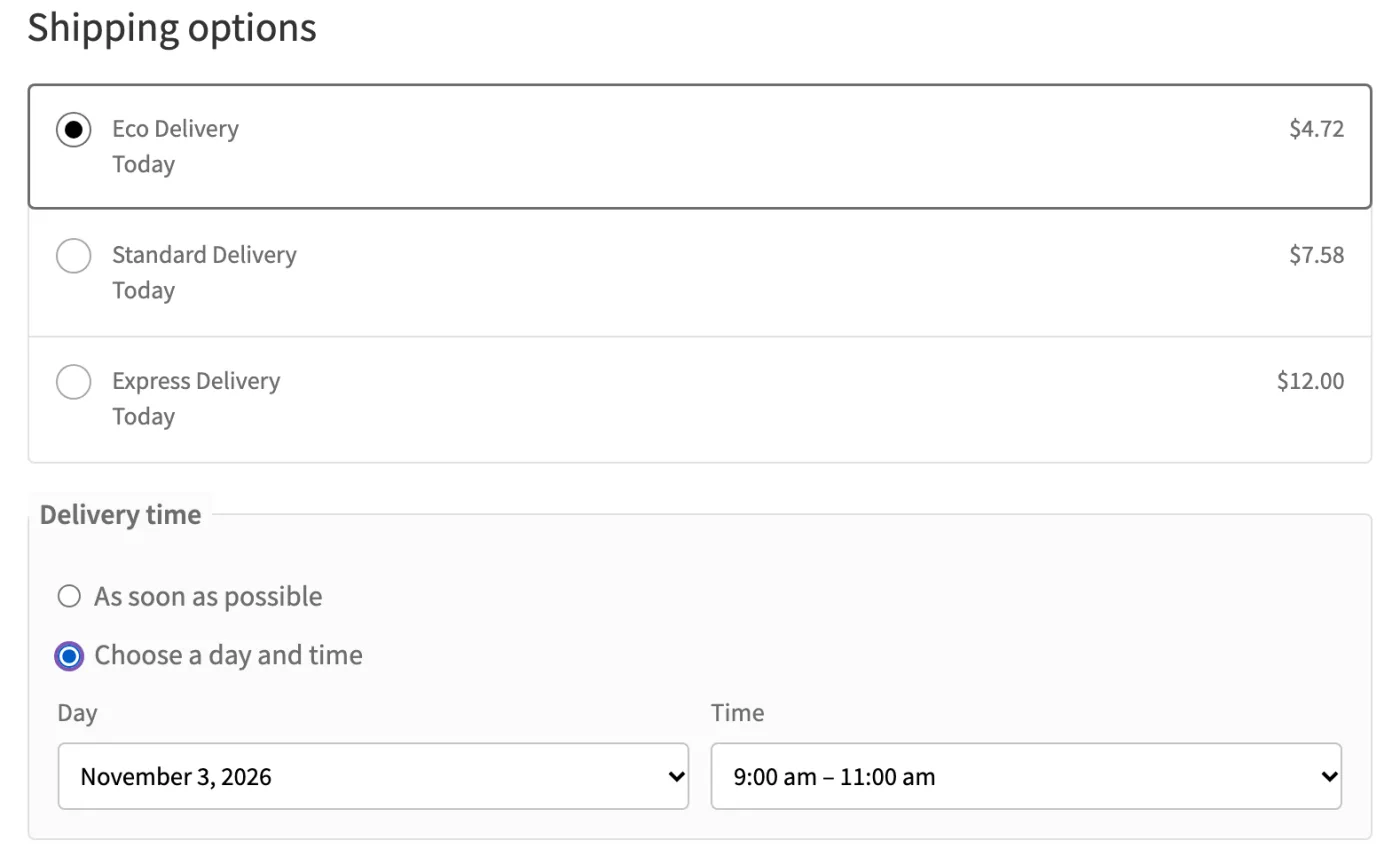
Live Delivery Prices at Checkout
The Fleetbase Delivery shipping method prices each order from your own service rates, using the customer's address. It only shows up where you actually deliver.
- Flat, per-distance or tiered rates, limited to the areas you serve
- As soon as possible, or a day and time window within your delivery hours
- Works with the Cart and Checkout blocks and the classic checkout
- If Fleetbase is unreachable, hide the method or offer a flat fallback rate
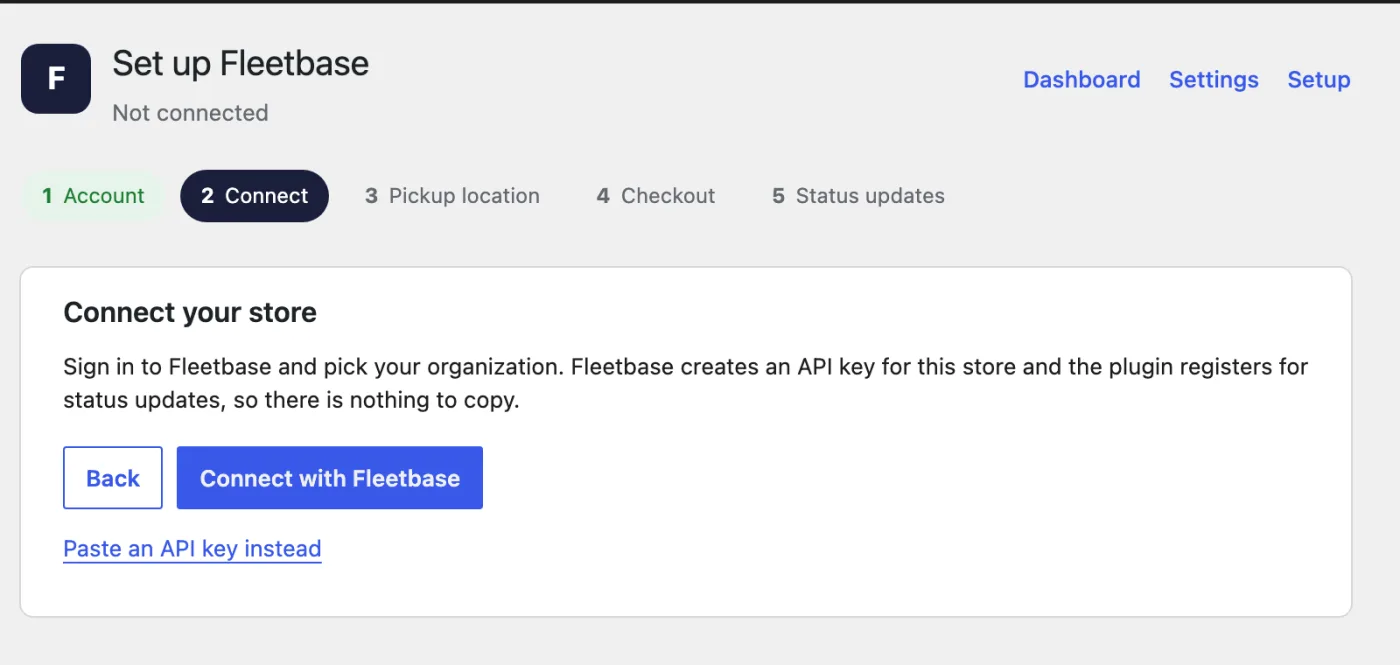
Connect Without Copying Keys
Choose Connect with Fleetbase in the setup wizard, sign in and approve your store. There are no API keys or webhook URLs to copy. You can still paste an API key if you prefer.
- Works with Fleetbase Cloud or your own Fleetbase server
- Only an administrator of your Fleetbase organization can approve a store
- Status updates are set up for you and signed, so the store can verify them
- Remove the store in Fleetbase at any time to revoke its access
Orders Reach Your Drivers Automatically
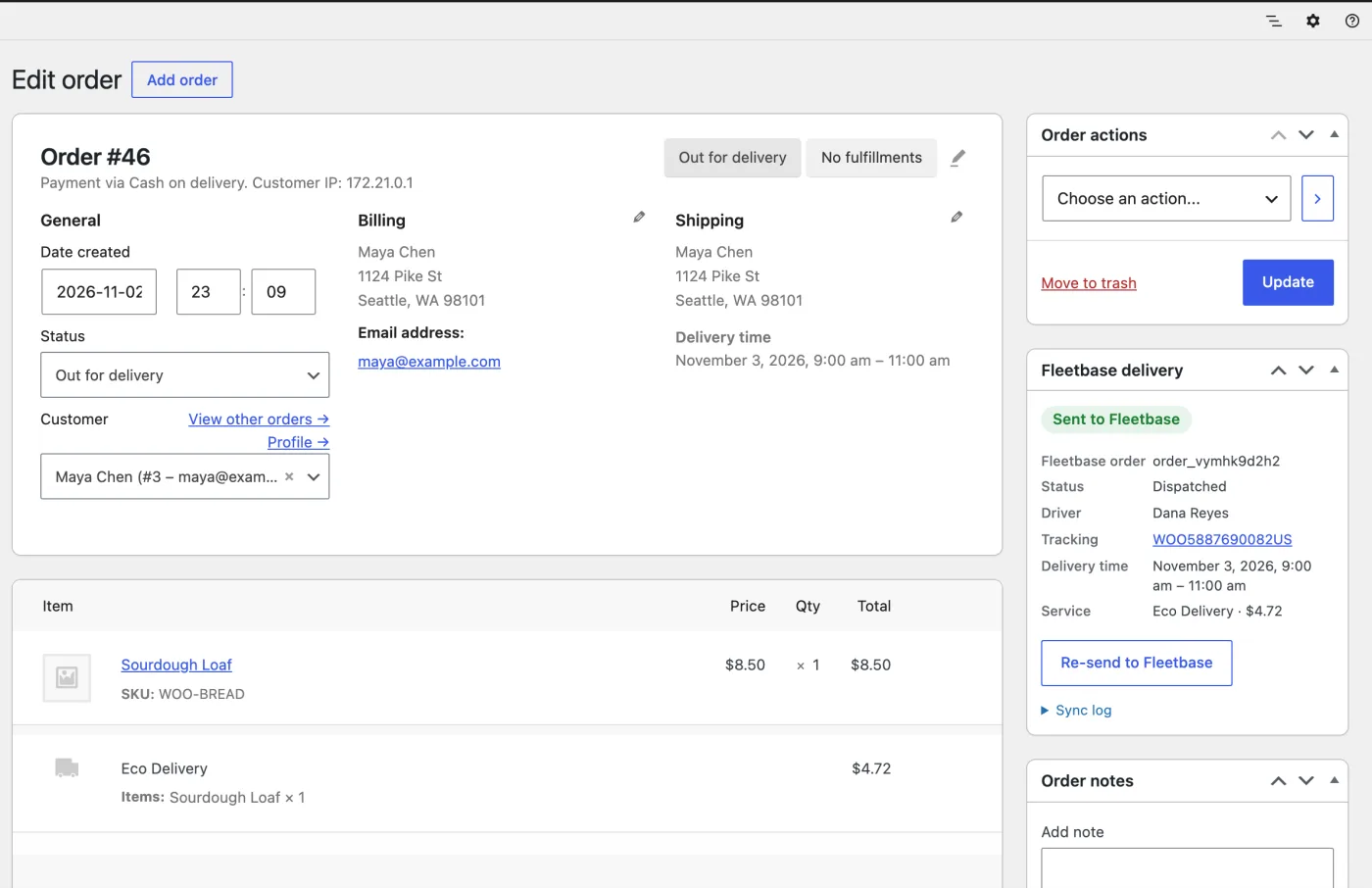
Paid orders become delivery jobs in Fleetbase with the customer, address, items, delivery time and quote. Drivers receive them in the free Navigator app for iOS and Android.
- Choose which order statuses send an order to Fleetbase
- Cash-on-delivery amounts are passed along to the driver
- Background sync with retries, and a sync log on every order
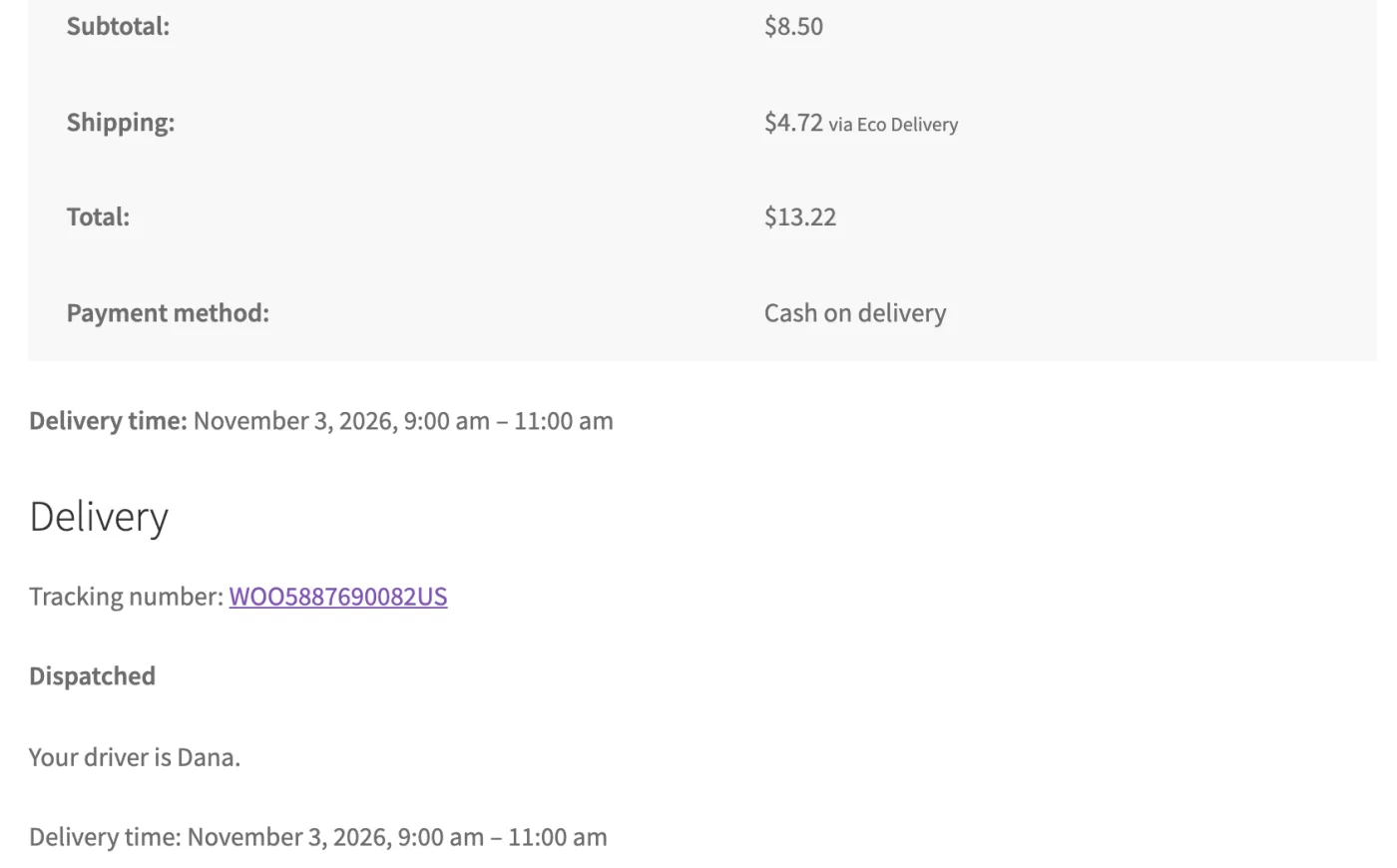
Status and Tracking Without the Phone Calls
WooCommerce stays current as the delivery moves. Customers can check on their order themselves, and your team can see proof that it arrived.
- Orders move to Out for delivery when the driver leaves, and Completed on delivery
- Tracking on the thank-you page, in the customer's account and in emails
- Photo or signature proof of delivery, linked from the order
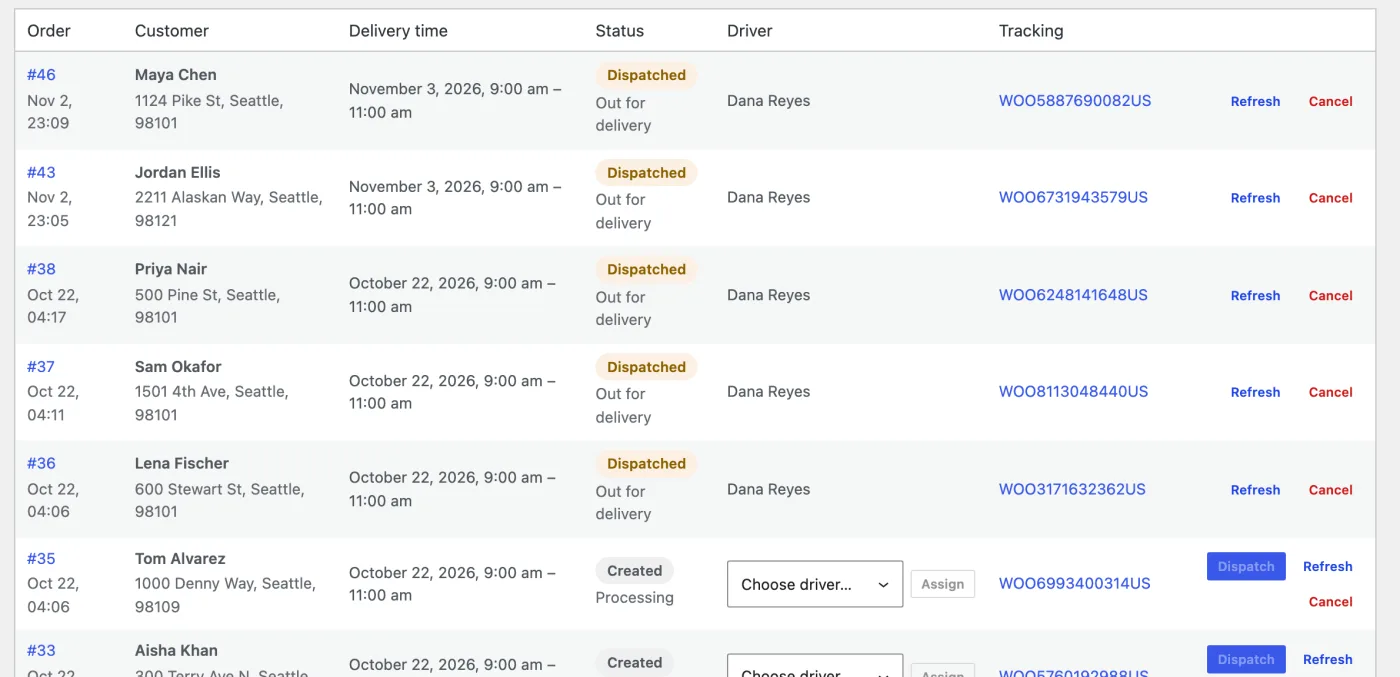
Dispatch From WordPress
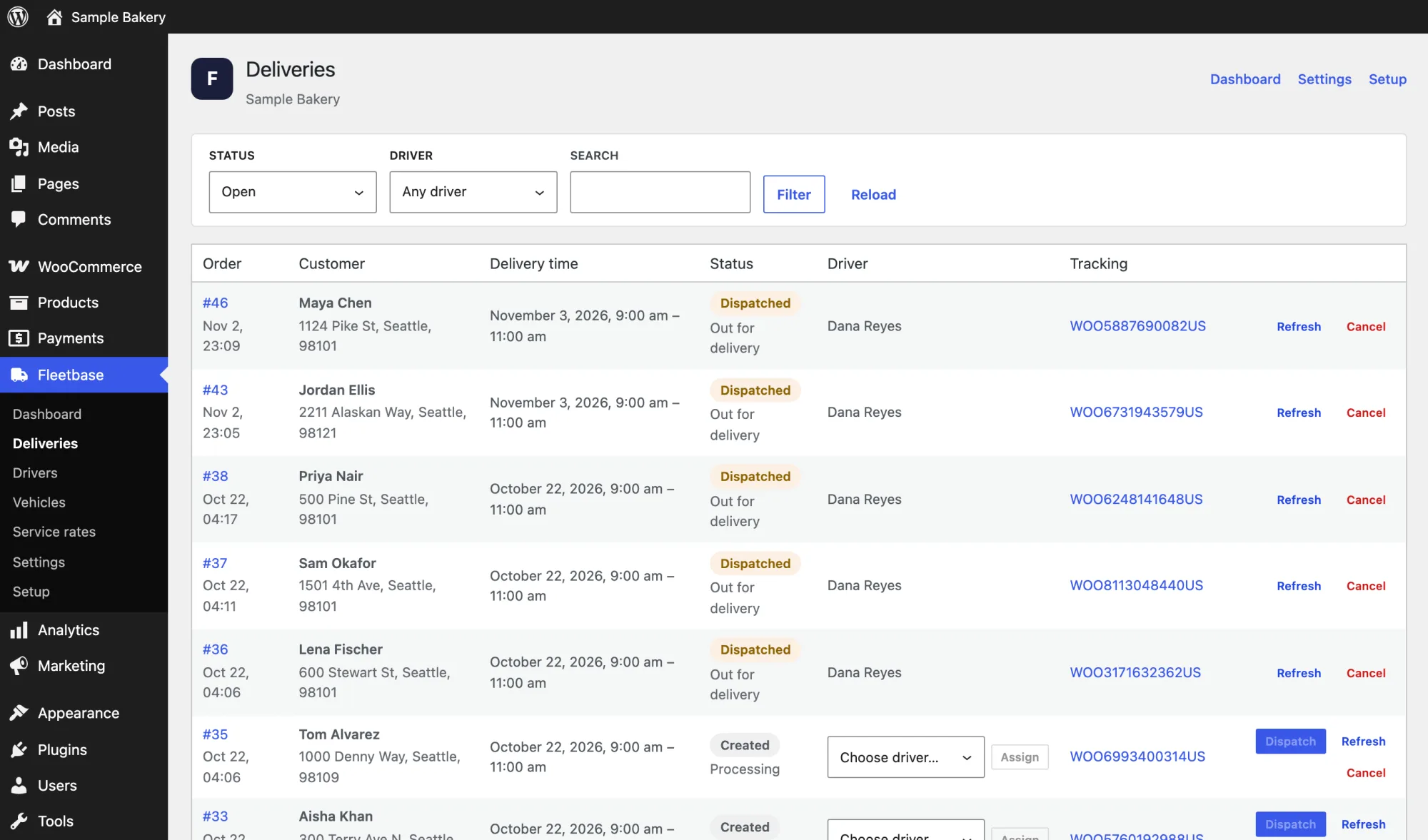
Your staff can run day-to-day deliveries from WordPress admin. Assign a driver, dispatch, refresh or cancel from the Deliveries page.
- Assign drivers and dispatch from one list
- A dispatcher role for staff who shouldn't change store settings
- The full Fleetbase console is there when you need more
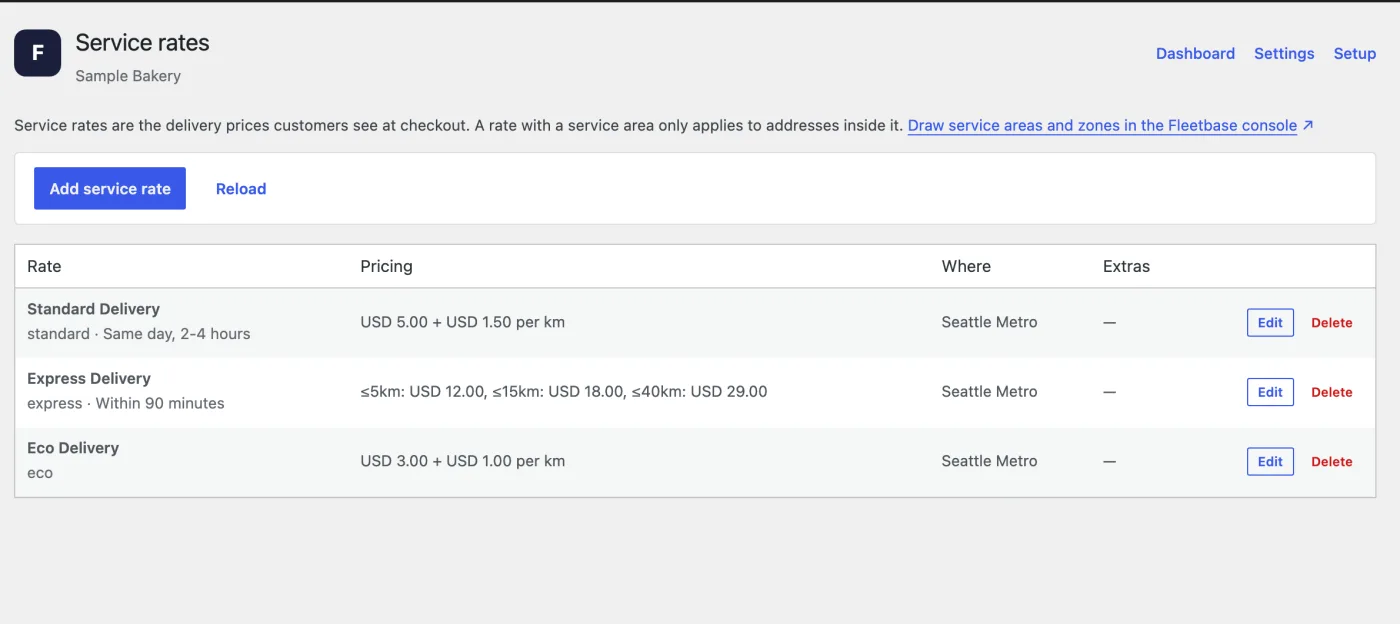
Manage Your Fleet and Rates
Add drivers and vehicles and set your delivery prices without leaving WordPress. Everything you manage here is kept in your Fleetbase account.
- Drivers and Vehicles pages for your day-to-day roster
- A service rates editor for flat, per-distance and tiered pricing
- Pay for the drivers and vehicles you have, however many orders you deliver
More built-in, out of the box
Every feature your team needs, without the integrations tax.
Common questions
Everything you need to know before getting started.
How much does it cost?
The plugin is free. Fleetbase Cloud is $29 a month plus $5 a month per driver or vehicle, after a 7-day free trial. Orders are free at any volume, and there are no per-delivery fees. You can also host Fleetbase yourself and connect the plugin to it at no cost.
Where do I get the plugin?
It is coming soon to the WordPress plugin directory. The source code is on GitHub in the meantime.
What do I need to run it?
WordPress 6.8 or newer, WooCommerce 9.5 or newer, PHP 8.1 or newer, and either a Fleetbase Cloud account or your own Fleetbase server.
Which orders are sent to Fleetbase?
By default, orders that used the Fleetbase Delivery shipping method and reached the Processing or Completed status. You can change the trigger statuses or send every physical order in the settings.
What happens if Fleetbase is unavailable?
Checkout keeps working. You choose whether to hide the delivery method or offer a flat fallback rate, and orders sync with retries once Fleetbase is reachable again.
Can I connect to a self-hosted Fleetbase instance?
Yes, at no cost. Choose Self-hosted Fleetbase in the setup wizard and enter your API host. The server needs https unless it is on a private network. Connect with Fleetbase needs core-api 1.6.74 or newer; on older servers, paste an API key instead.
Start delivering your WooCommerce orders
Create a Fleetbase account, add your drivers and rates, and connect your store. Your first 7 days are free, with every module included.
7-day free trial · Full platform access