
Fleetbase for WooCommerce · Free on WordPress.org
WooCommerce delivery management, from checkout to the customer's door.
The customer sees a live delivery price, your driver gets the job, and WooCommerce updates itself until the order is delivered, with proof. No spreadsheets, no phone calls.
Paid at checkout
Eco Delivery, $4.72 · Nov 6, 9:00–11:00 am
Sent to Fleetbase
Delivery job created automatically
Driver assigned
Dana Reyes, in the Navigator app
Out for delivery
WooCommerce status updated, customer emailed
Delivered
Completed, with photo or signature proof
Five stops. You only set up the first.
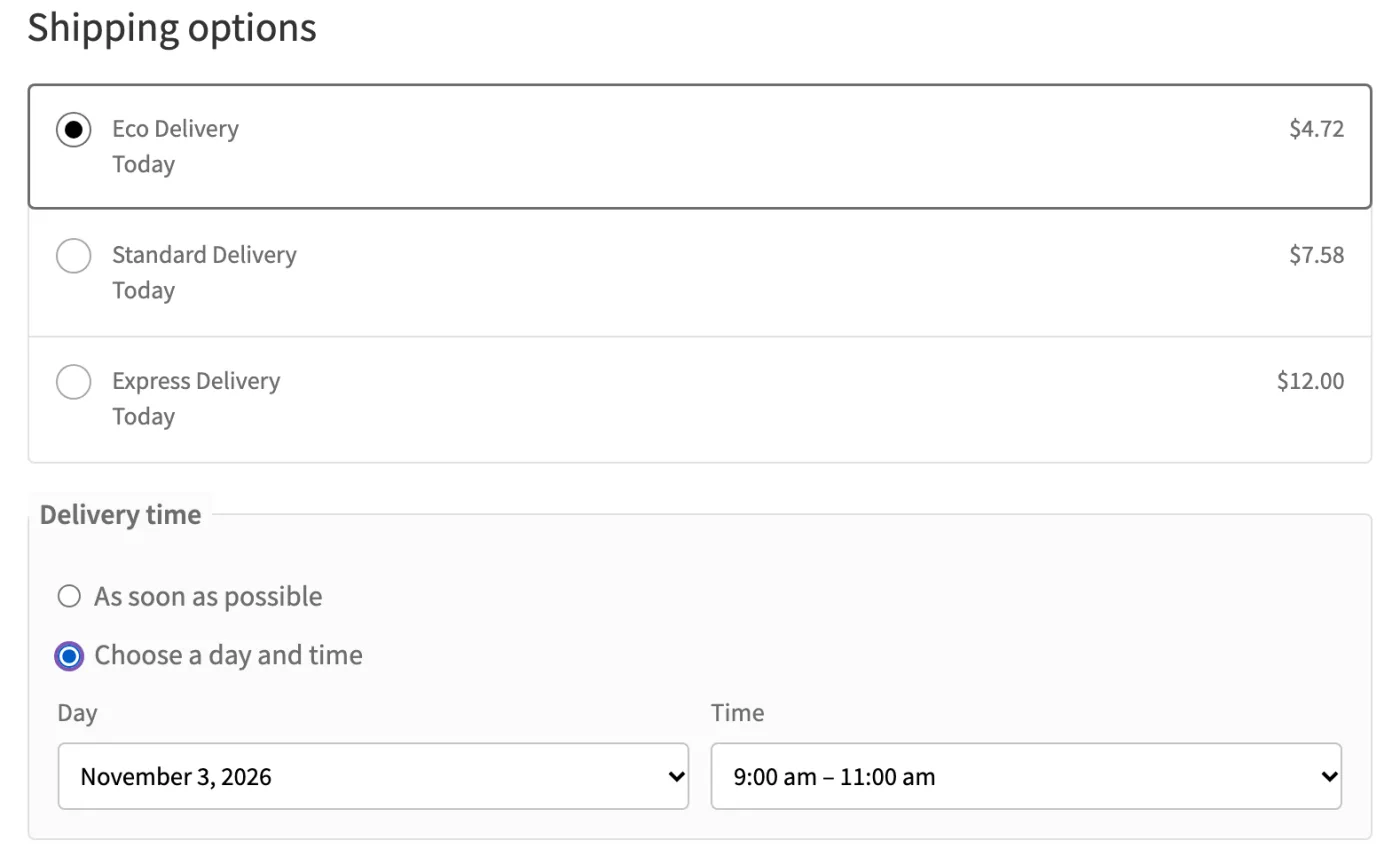
Stop 1 · Checkout
The customer sees a real delivery price
Prices come from your own rates and the customer's address, and only appear where you deliver. Customers choose as soon as possible, or a delivery day and time window. The WooCommerce block checkout and classic checkout both work.
Stop 2 · Paid
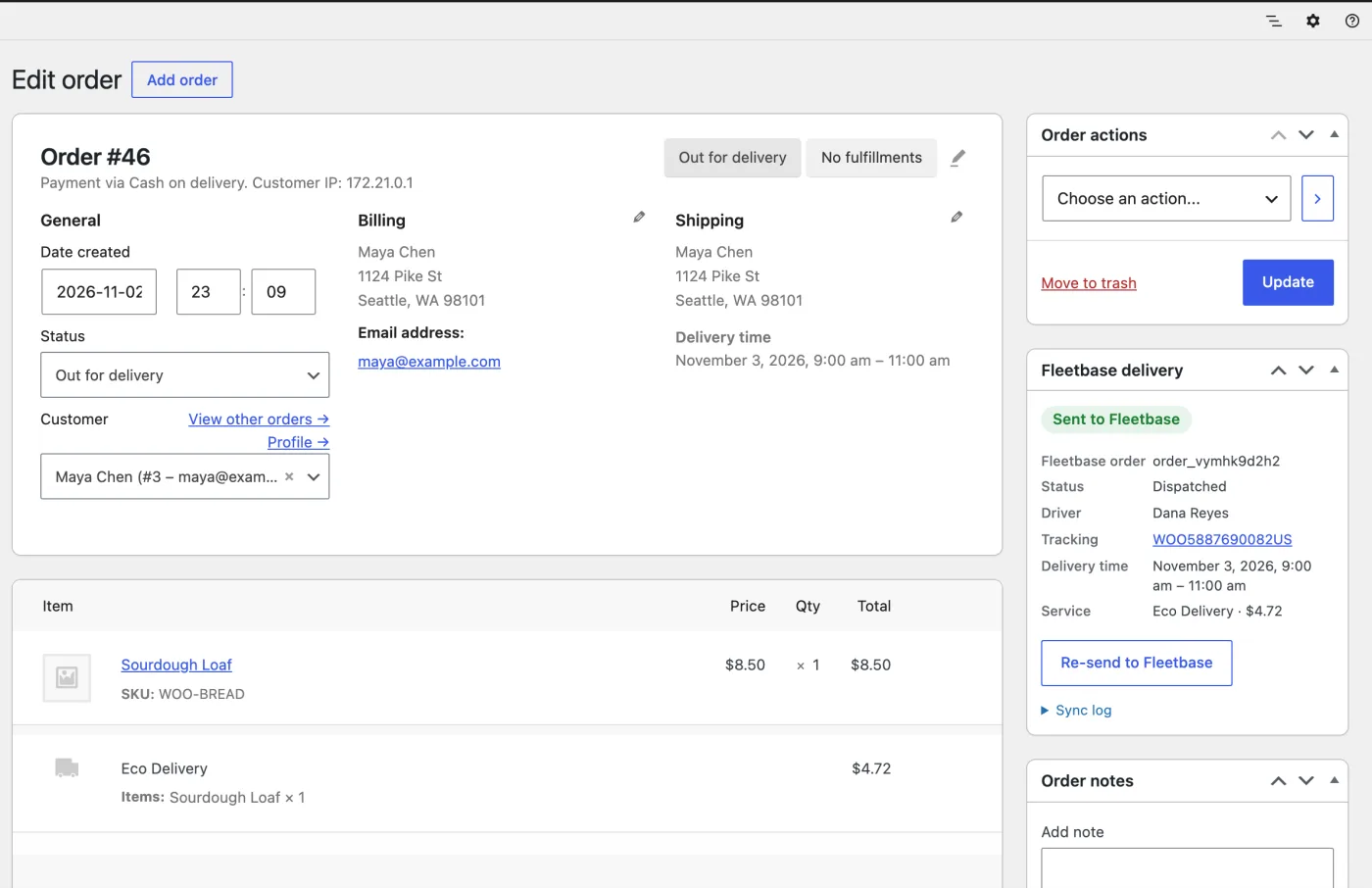
The order becomes a delivery job on its own
When it's paid, the WooCommerce order goes to Fleetbase with the customer, address, items, delivery time and quote. Cash-on-delivery amounts go along too. A sync log on the order records every step.
Stop 3 · Dispatch
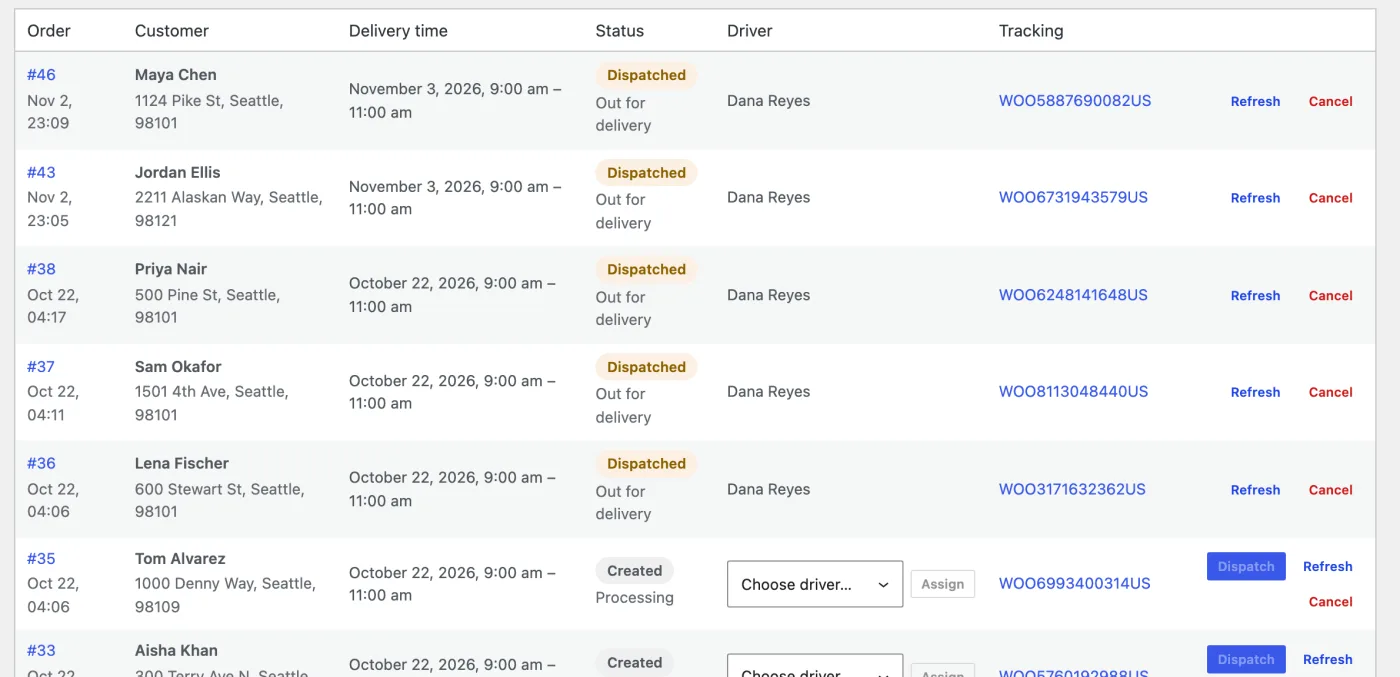
Your team assigns a driver from WordPress
On the Deliveries page, choose a driver and dispatch. The driver gets the job in the free Navigator app for iOS and Android. A dispatcher role lets staff do this without touching store settings.
Stop 4 · Out for delivery
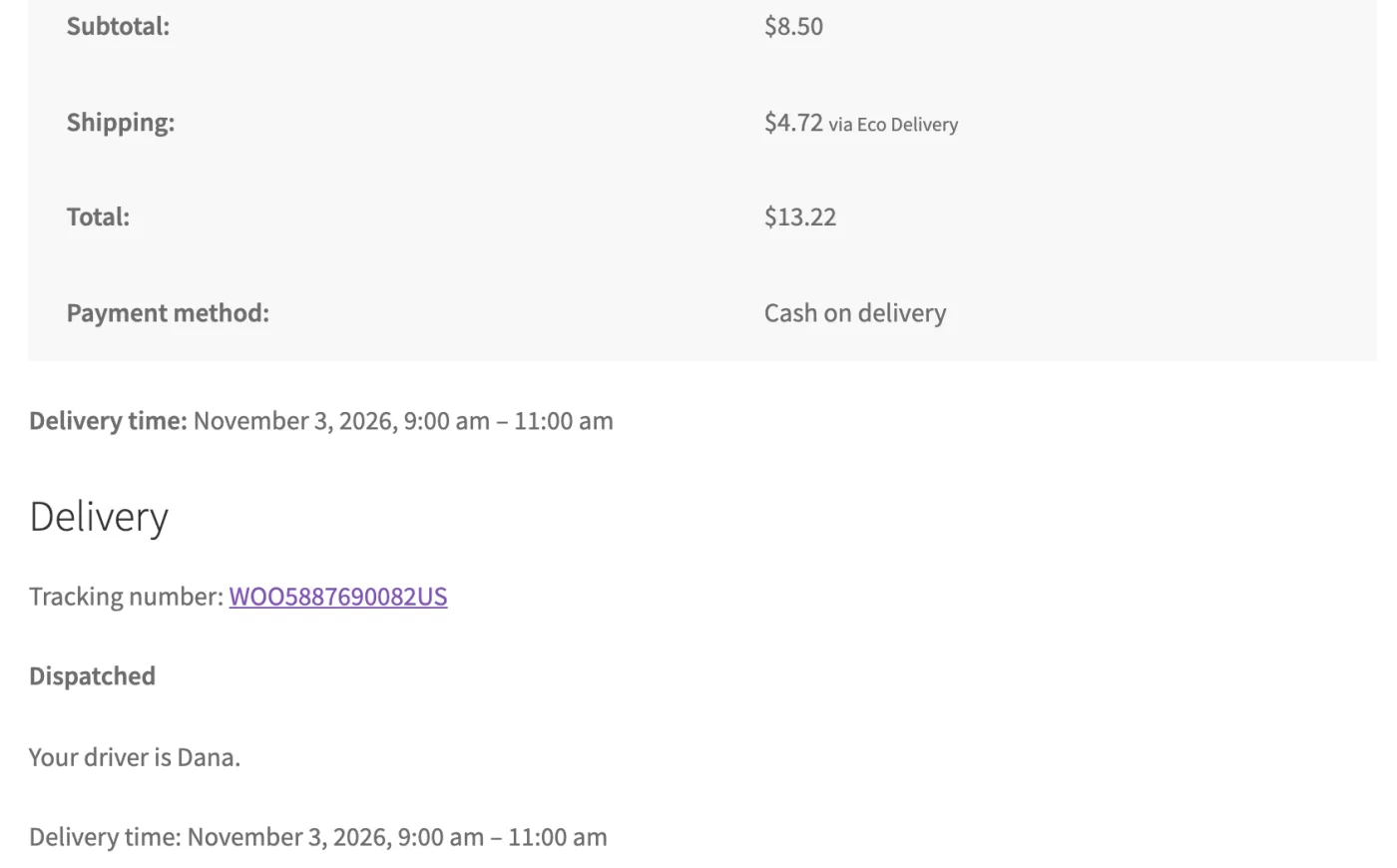
The customer knows where their order is
When the driver leaves, the order moves to Out for delivery and the customer gets an email. They can track it from their account, the thank-you page or the tracking page.
Stop 5 · Delivered
Completed, with proof of delivery
On delivery the WooCommerce order moves to Completed. If someone asks later, the answer is on the order.
Photo or signature
Proof of delivery, linked from the order
Sync log
Every status change recorded on the order
Before the first order
A few steps of setup, all inside WordPress
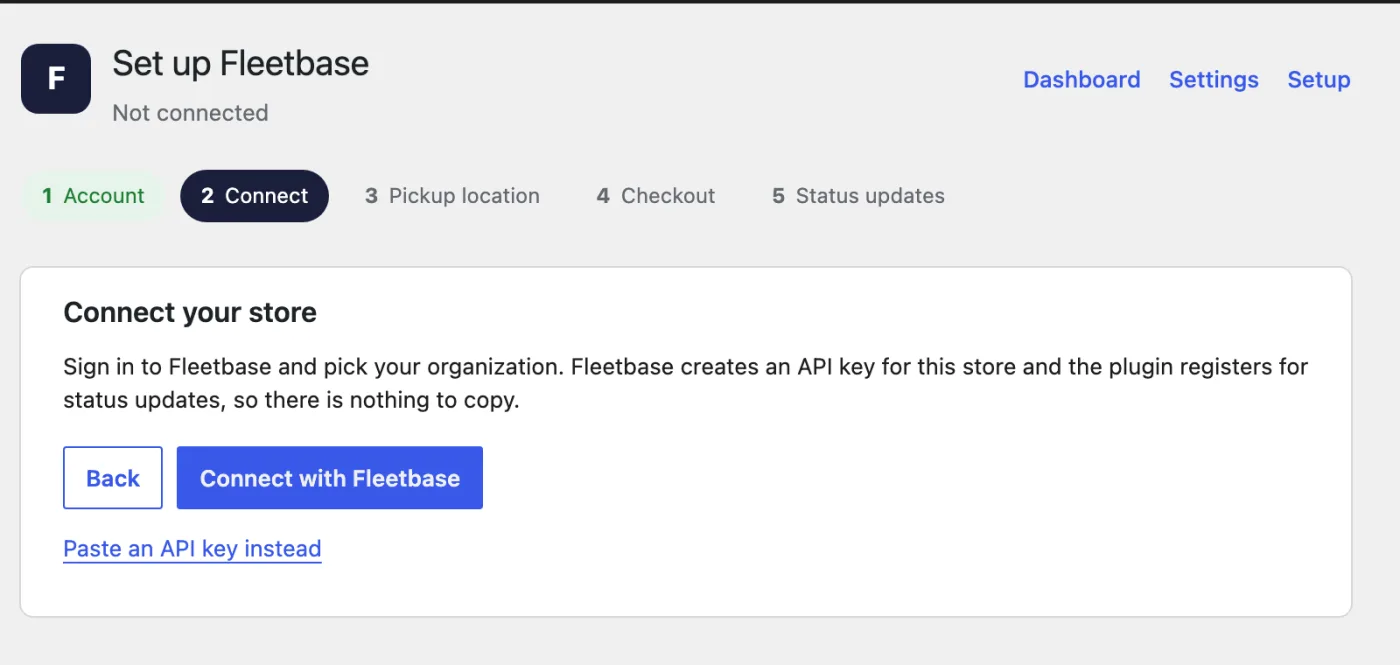
Connect with one click
Sign in to Fleetbase and approve your store. No API keys to copy.
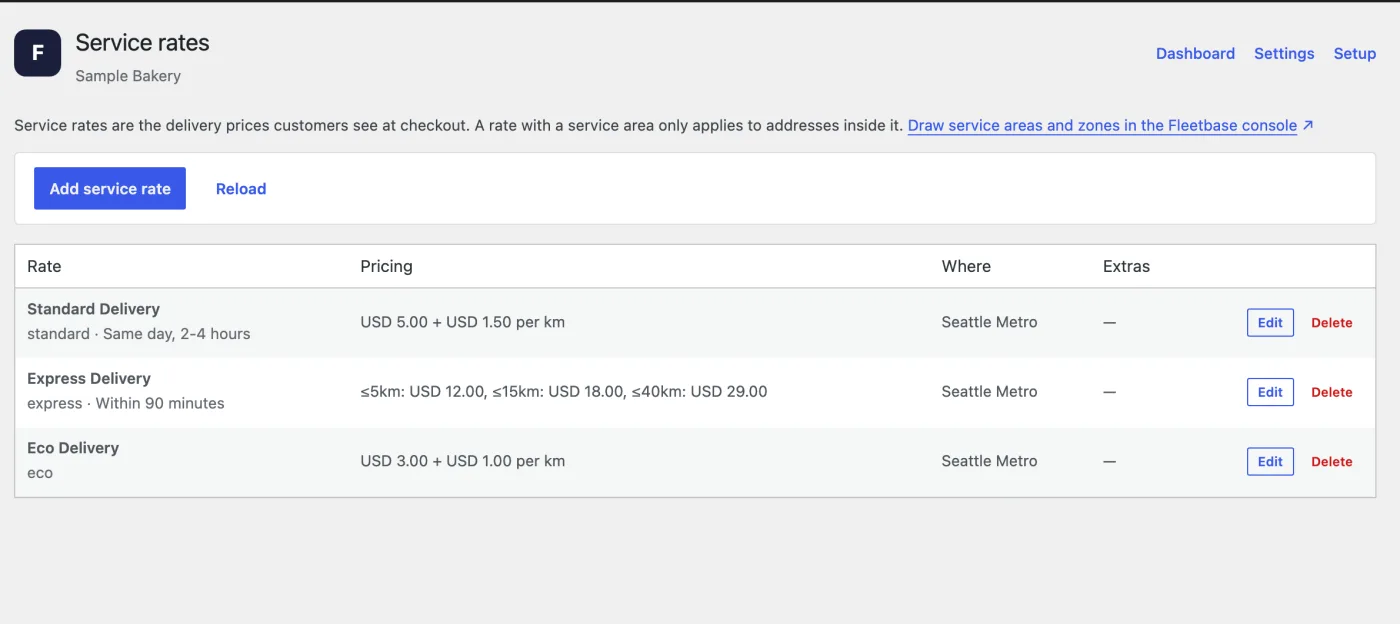
Set your delivery rates
Flat, per-distance or tiered, limited to the areas you serve.
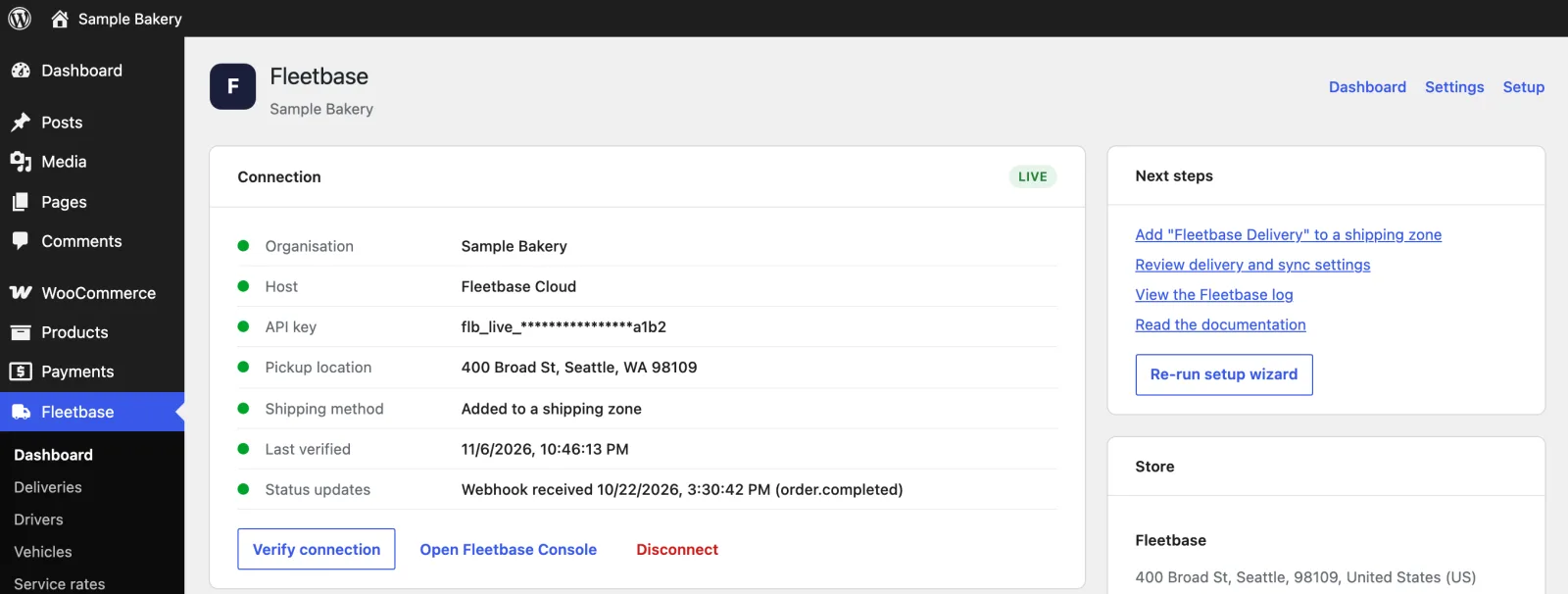
Check it's live
The dashboard shows your connection and status updates. Drivers and vehicles are managed right beside it.
What it costs
The plugin is free, with no fees per delivery. Fleetbase Cloud is $29 a month plus $5 a month per driver or vehicle, after a 7-day free trial. Orders are free at any volume. Or host Fleetbase yourself and connect the plugin at no cost.
Requirements
- WordPress 6.8 or newer
- WooCommerce 9.5 or newer
- PHP 8.1 or newer
- HPOS compatible · GPLv3
WooCommerce delivery management questions
Do my drivers need an app?
Drivers use the free Fleetbase Navigator app for iOS and Android. Each paid order arrives there as a delivery job with the customer, address, items, delivery window and any cash-on-delivery amount.
Who can assign and dispatch deliveries?
Store administrators and shop managers, plus any staff you give the dispatcher role. Dispatchers can assign drivers and dispatch from the Deliveries page without access to store settings.
How do customers track their delivery?
From their account, the thank-you page and the tracking page. They also get an "Out for delivery" email when the driver leaves.
How does proof of delivery work?
The driver records a photo or signature on delivery, and it is linked from the WooCommerce order, which moves to Completed.
Which orders are sent to Fleetbase?
By default, orders that use the Fleetbase Delivery shipping method, once they reach Processing or Completed. You can change the trigger statuses, or send every physical order, in the settings.
What happens if Fleetbase is unreachable?
Checkout keeps working. You choose whether to hide the delivery method or show a flat fallback rate, and orders sync with retries once Fleetbase is reachable again.
Put your next order on the route.
Install the free plugin from WordPress.org, connect your store and add your drivers. Fleetbase Cloud is free for the first 7 days.