

Fleetbase for WooCommerceFree WooCommerce delivery plugin · By Fleetbase · On WordPress.org
Live delivery quotes at checkout, your own drivers and vehicles, and orders that sync themselves with Fleetbase.
- Version
- 1.0.0
- WordPress
- 6.8 or newer
- WooCommerce
- 9.5 or newer
- PHP
- 8.1 or newer
- License
- GPLv3
- Price
- Free
Screenshots
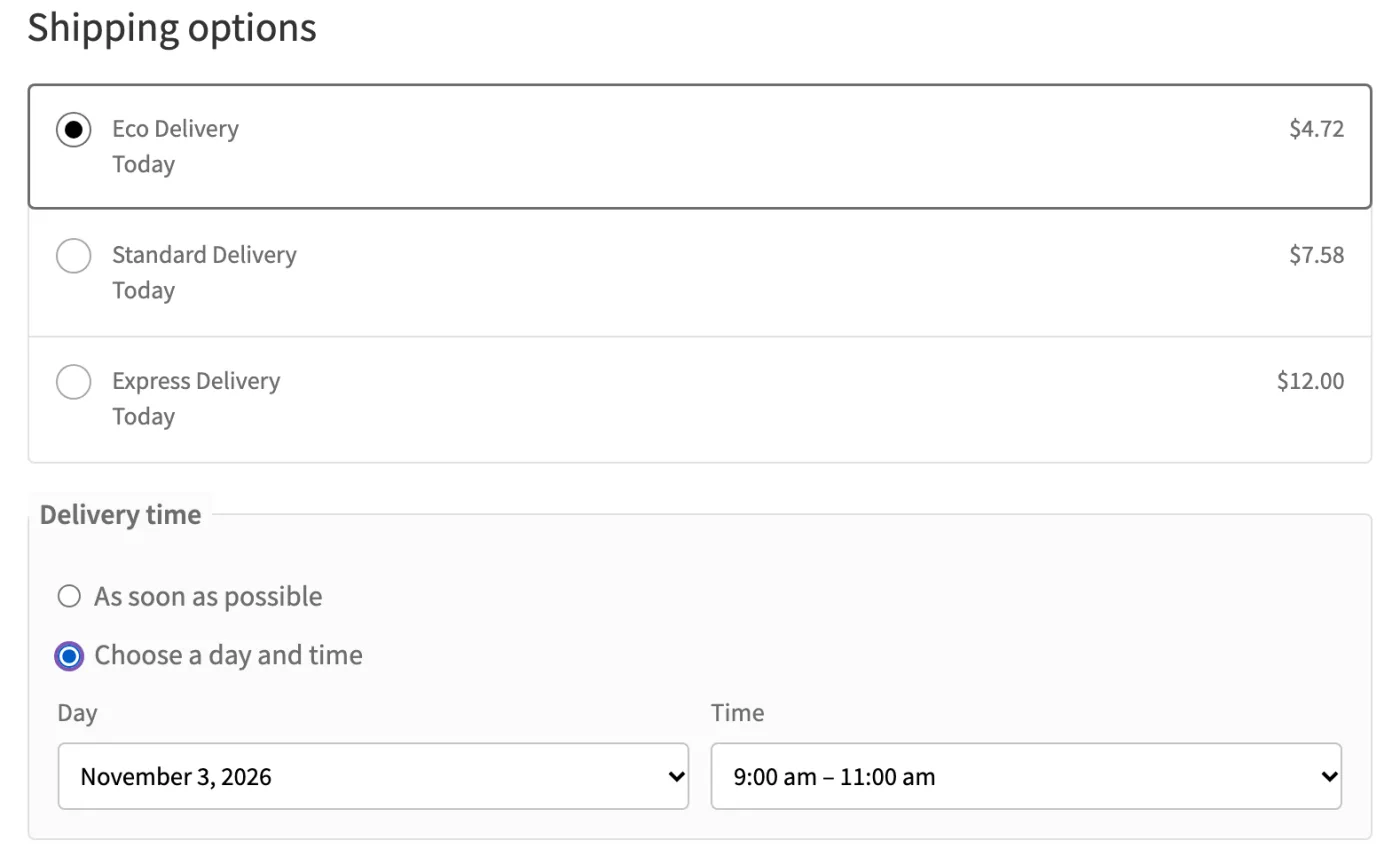
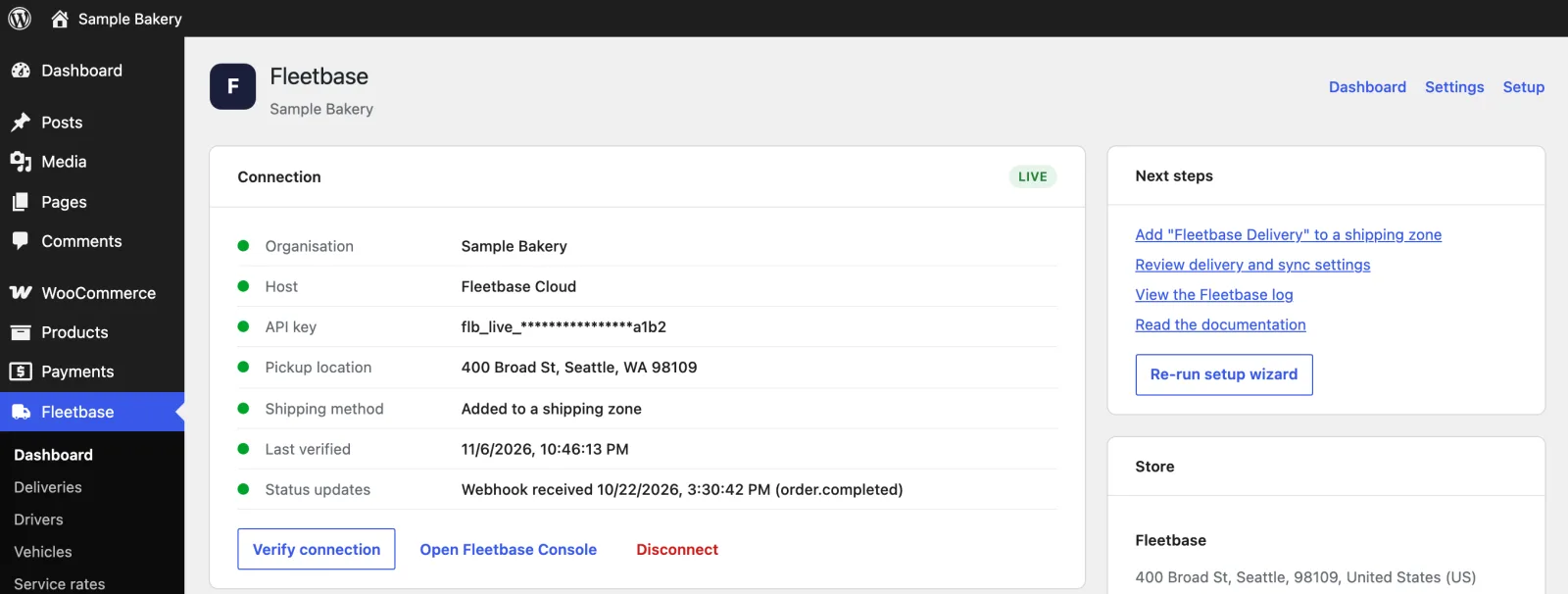
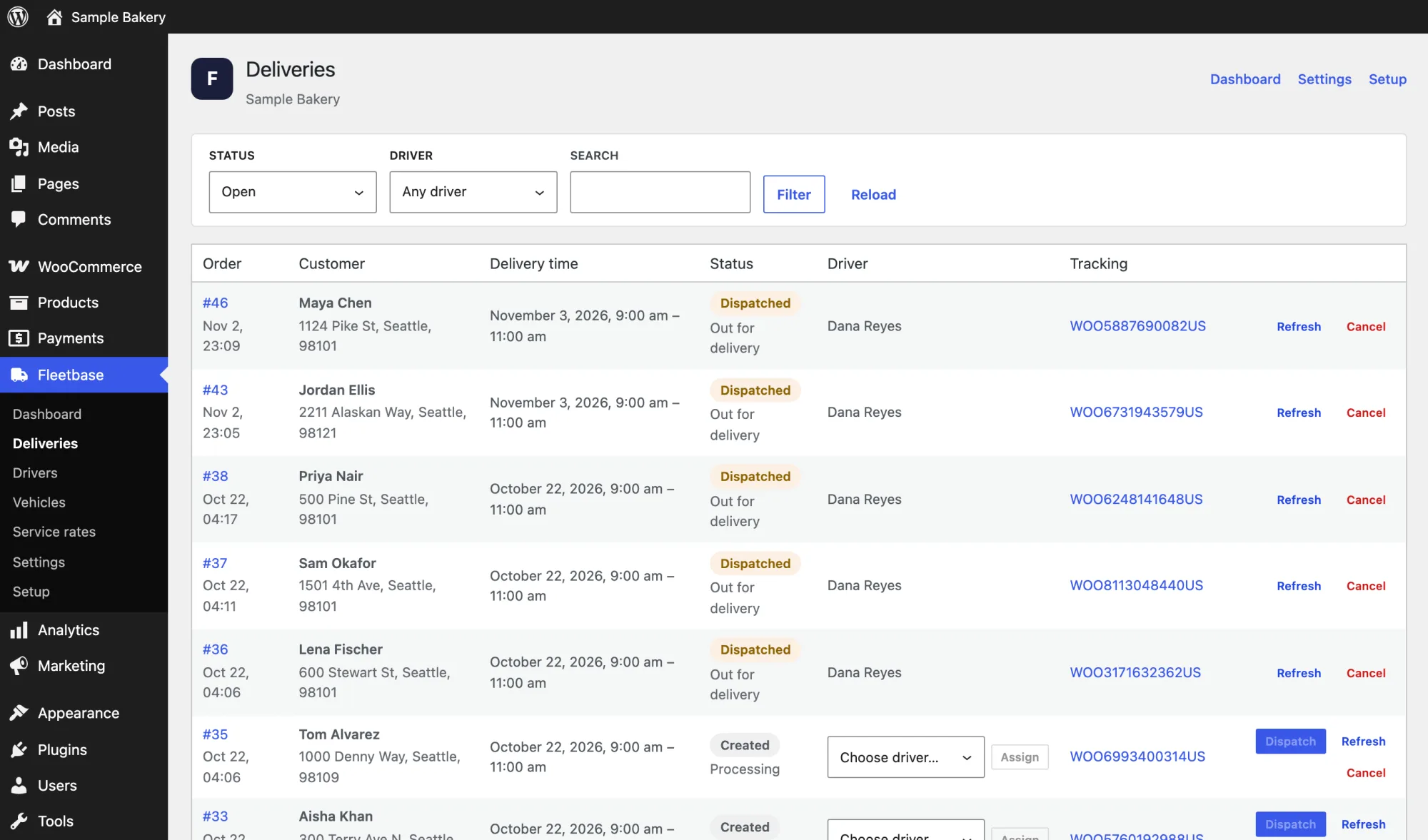
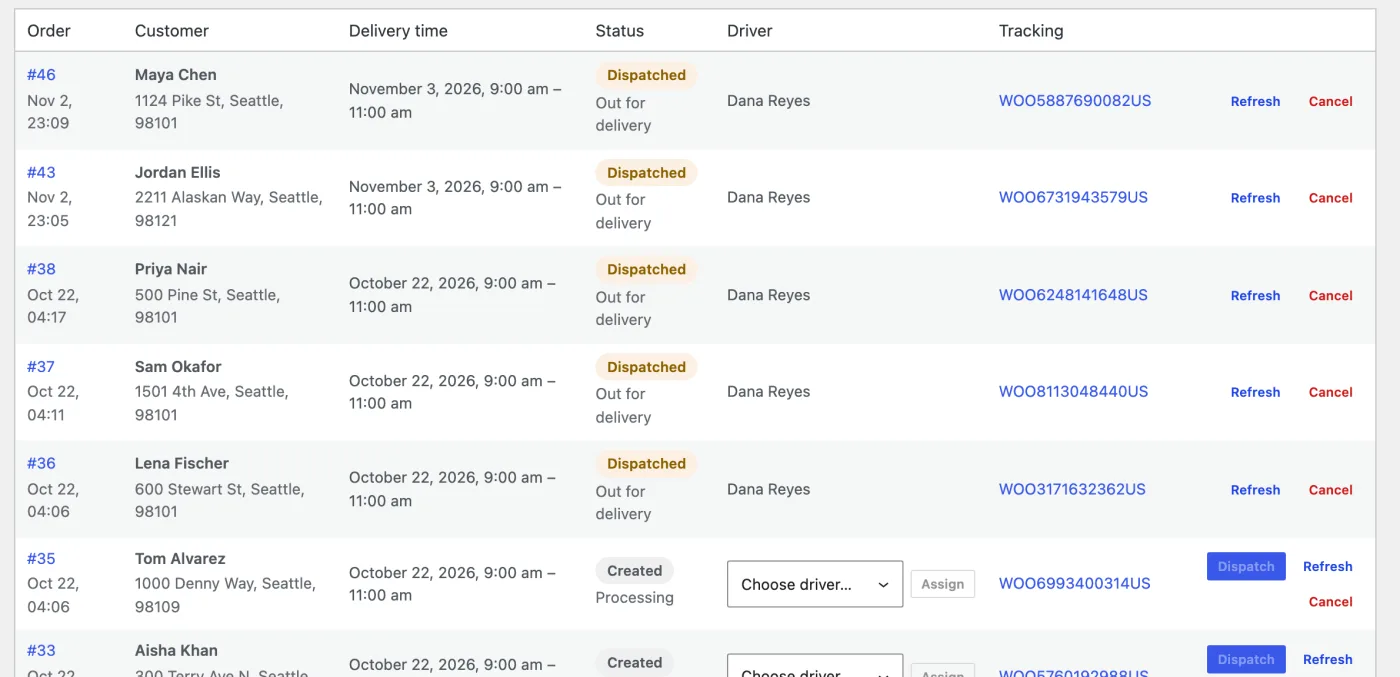
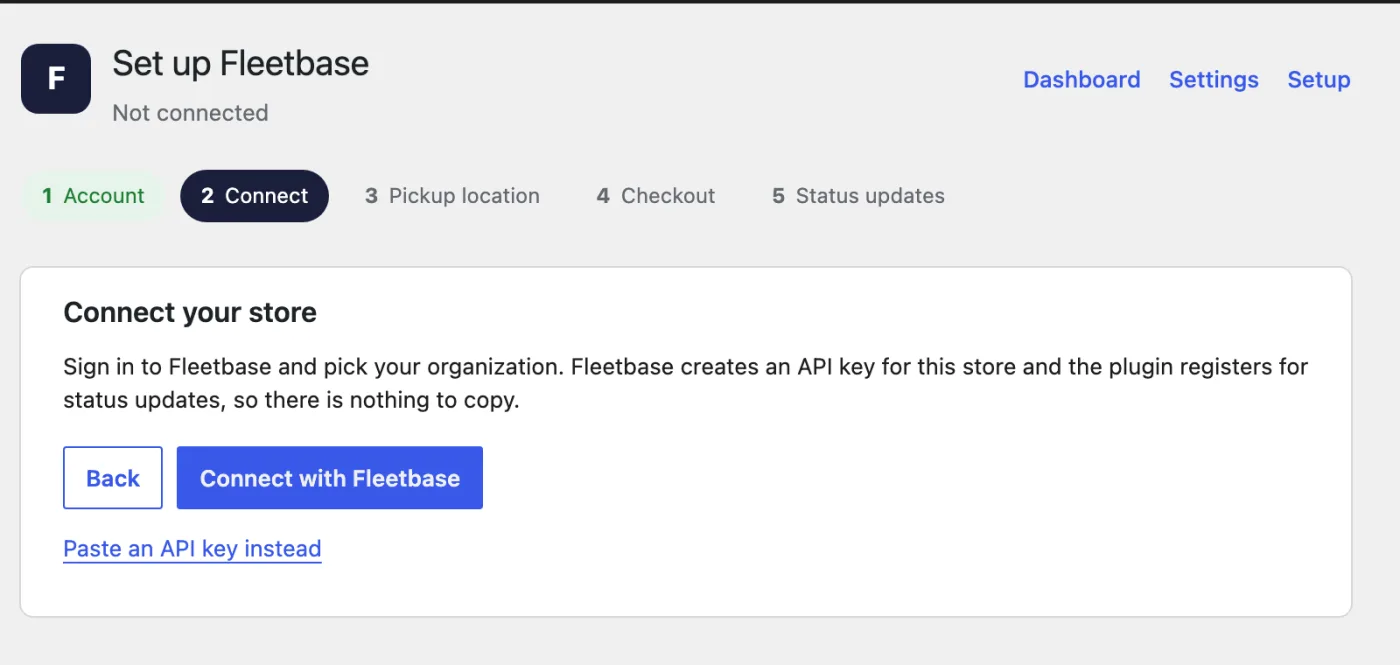
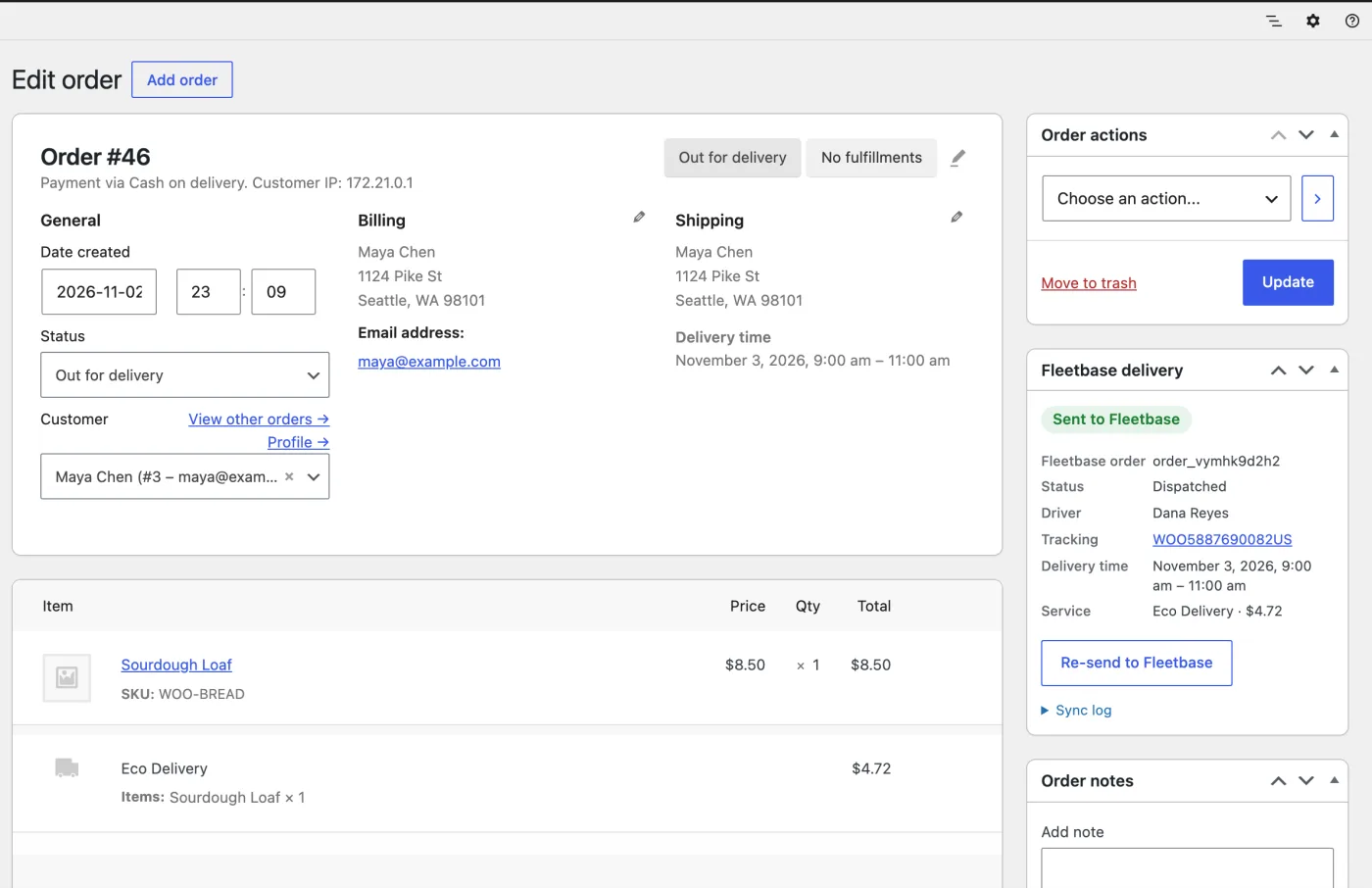
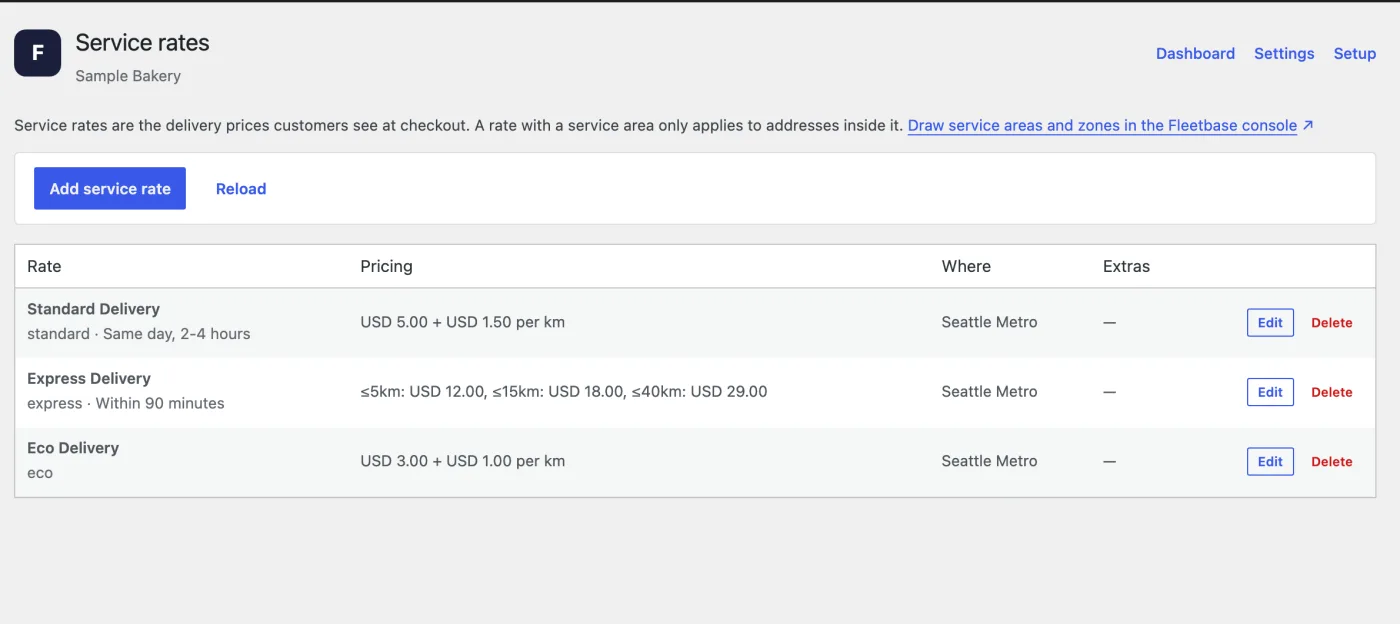
1 / 8 · Live delivery prices and the delivery-time picker at checkout.
What the plugin does
Delivery prices by distance or zone
Priced from your own rates and the customer's address: flat, per-distance or tiered, only where you deliver.
Delivery date and time slots
Customers choose as soon as possible, or a delivery day and time window within your delivery hours.
One-click connect
Connect with Fleetbase, sign in and approve. No API keys to copy; pasting one still works.
Automatic order sync
Paid orders become delivery jobs. Drivers get them in the free Navigator app for iOS and Android.
Status comes back to WooCommerce
Out for delivery when the driver leaves, Completed on delivery, with photo or signature proof.
Customer tracking
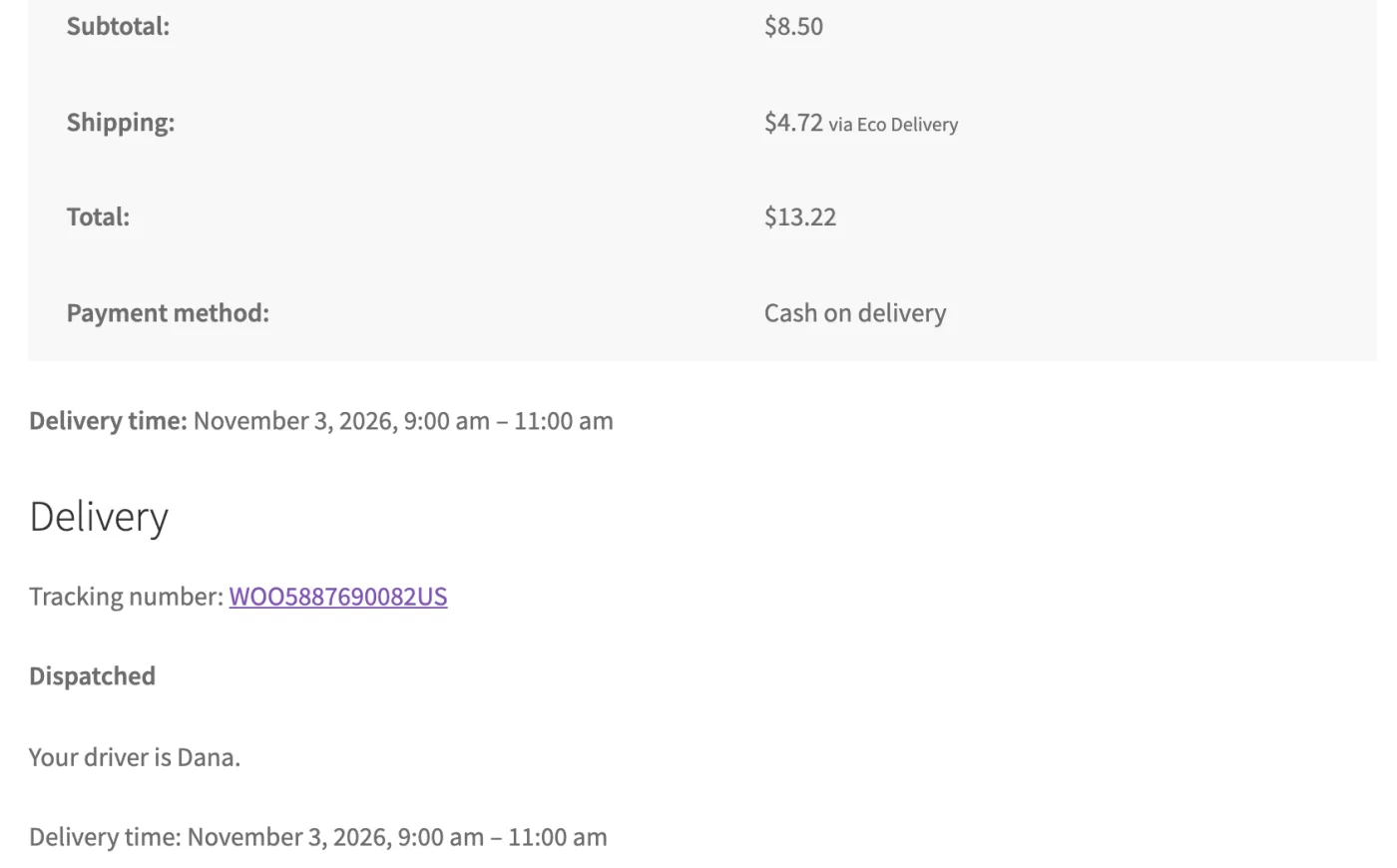
In the customer's account, on the thank-you page and in emails.
Dispatch from WordPress
Assign and dispatch, and manage drivers, vehicles and rates from WordPress admin.
Block and classic checkout
Works with the WooCommerce Cart and Checkout blocks and with the classic shortcode checkout.
- Delivery time windows
- Cash on delivery
- Proof of delivery
- "Out for delivery" email
- Order sync log
- Dispatcher role
- HPOS compatible
- Open source
Plugin FAQ
What do I need to run it?
WordPress 6.8 or newer, WooCommerce 9.5 or newer, PHP 8.1 or newer, and either a Fleetbase Cloud account or your own Fleetbase server.
Where do I get Fleetbase for WooCommerce?
From the WordPress.org plugin directory. Install it from Plugins → Add New in WordPress admin, or download it from wordpress.org/plugins/fleetbase-for-woocommerce. The source code is on GitHub.
Is it compatible with HPOS?
Yes. It works with WooCommerce High-Performance Order Storage and with the older post-based order storage.
Does it work with the block checkout?
Yes. The delivery prices and time picker work in the WooCommerce Cart and Checkout blocks and in the classic shortcode checkout.
How much does the WooCommerce delivery plugin cost?
The plugin is free, with no fees per delivery. Fleetbase Cloud is $29 a month plus $5 a month per driver or vehicle, after a 7-day free trial. Orders are free at any volume. You can also host Fleetbase yourself and connect the plugin at no cost.
Does it work with a self-hosted Fleetbase server?
Yes, at no cost. Choose Self-hosted Fleetbase in the setup wizard and enter your server's address. It needs https unless the server is on a private network.
Built in the open
Open source, from the plugin to the platform
The plugin is GPLv3 and developed on GitHub. Fleetbase is open source too: run it on your own server and connect the plugin at no cost.
github.com/fleetbase/woocommerce