

Written by Shiv Thakker · Fleetbase Ledger · v0.7.52 · 8 min read
Fleetbase Ledger now supports GNU Taler, the open, privacy-preserving payment system from the GNU project. Generate an invoice, present a taler://pay QR, and the payer settles it from a Taler wallet — no card network, no account, no tracking of the payer. When money needs to go back, refunds return through the wallet the same way.
This is the complete picture of the work: gateway setup, wallet checkout, settlement, the full refund lifecycle, and reconciliation. Funded through the NGI TALER fund (NLnet).
What's new in v0.7.52
Everything the GNU Taler integration adds to Ledger.
- ✓ GNU Taler gateway driver — a first-class payment gateway in Ledger, registered in the gateway manifest.
- ✓ Admin-UI configuration — set the merchant backend, instance and token, test credentials, register webhooks and create test orders without touching a config file.
- ✓ Live diagnostics — connection, credential, webhook, payment, refund and settlement signals at a glance.
- ✓ Wallet checkout — public invoices present a
taler://payURI and QR code for any Taler wallet. - ✓ Tenant-safe webhook routing — notifications resolve to the exact gateway on multi-company instances, with idempotent handling of duplicates.
- ✓ Settlement verification — invoices flip to paid only once the exchange confirms, never optimistically.
- ✓ Full refund lifecycle — refunds return through the customer's wallet, with merchant-approved and wallet-accepted states tracked separately, and partial, full and expired refunds all handled.
- ✓ Ledger reversals — invoice, transaction, journal and gateway-transaction records reflect each refund state.
- ✓ Reconciliation — settlement verification stores wired state, deposit totals and a normalized reconciliation status against the gateway transaction.
- ✓ Multi-currency — Taler's value/fraction amount model, so currencies beyond EUR and USD work correctly.
Why GNU Taler, and why it's different
Most payment integrations assume a card-and-redirect model: send the customer to a hosted page, they pay, you get a webhook, done. GNU Taler works differently, and the driver was built to respect that. Taler orders are claimed and then paid asynchronously through the payer's wallet, amounts use a value-and-fraction representation rather than a fixed two decimal places, and the wallet — not a hosted checkout page — is where the money actually moves. Refunds work the same way: the merchant issues one, and the customer accepts it in their own wallet.
To make all of it verifiable, we stood up a complete Taler stack anyone can test against: a bank, a merchant backend, and an exchange, all under taler.fleetbase.io. Everything below was captured against that live stack.
1. Setting up the gateway
Admin UI · diagnostics · webhooks
Taler is configured entirely from Ledger's payments section. You enter the merchant backend URL, instance ID and API token, then use the gateway's own actions to test credentials, register the webhook, and create a test order. The gateway advertises its real capabilities — purchase, refund, webhooks, sandbox — and a Provider Status panel gives operators live signals rather than making them guess.
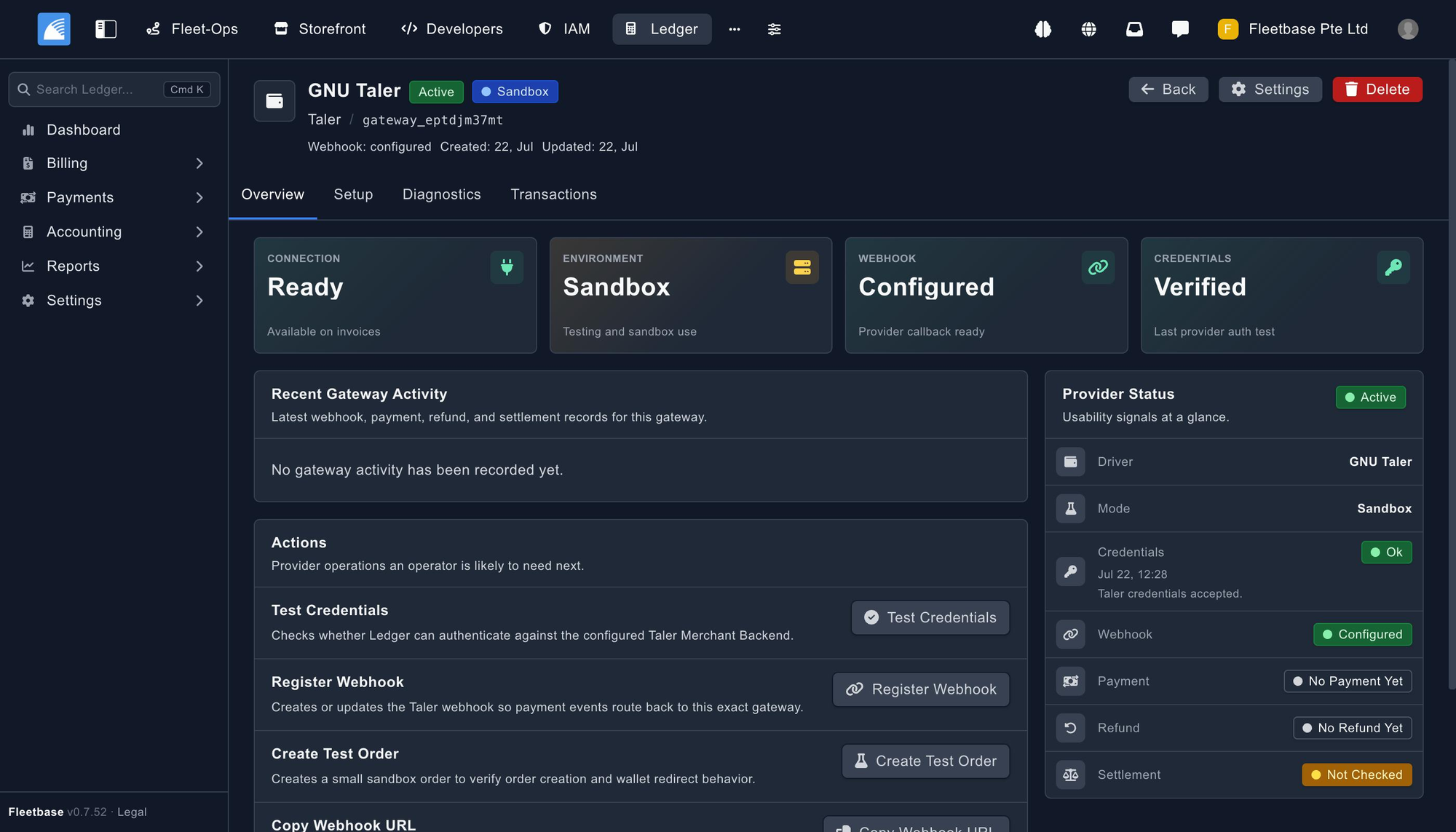
[FIG 1] The Taler gateway in Ledger: connection ready, sandbox environment, webhook configured and credentials verified.
Because Fleetbase runs multiple companies on one instance, webhook routing has to be exact. Provisioned Taler webhooks post the order ID together with the company and gateway identifiers back to Ledger, so an incoming notification always resolves to the exact gateway that created the order. Duplicate notifications are handled idempotently, and any unresolved or ambiguous payload is recorded as a failed gateway transaction so operators can diagnose routing rather than silently mis-apply a payment.
2. Paying an invoice from a wallet
Public checkout · QR · settlement
On the public invoice, the payer picks GNU Taler and continues to payment. Ledger creates a Taler order and hands back a payment URI and QR code.
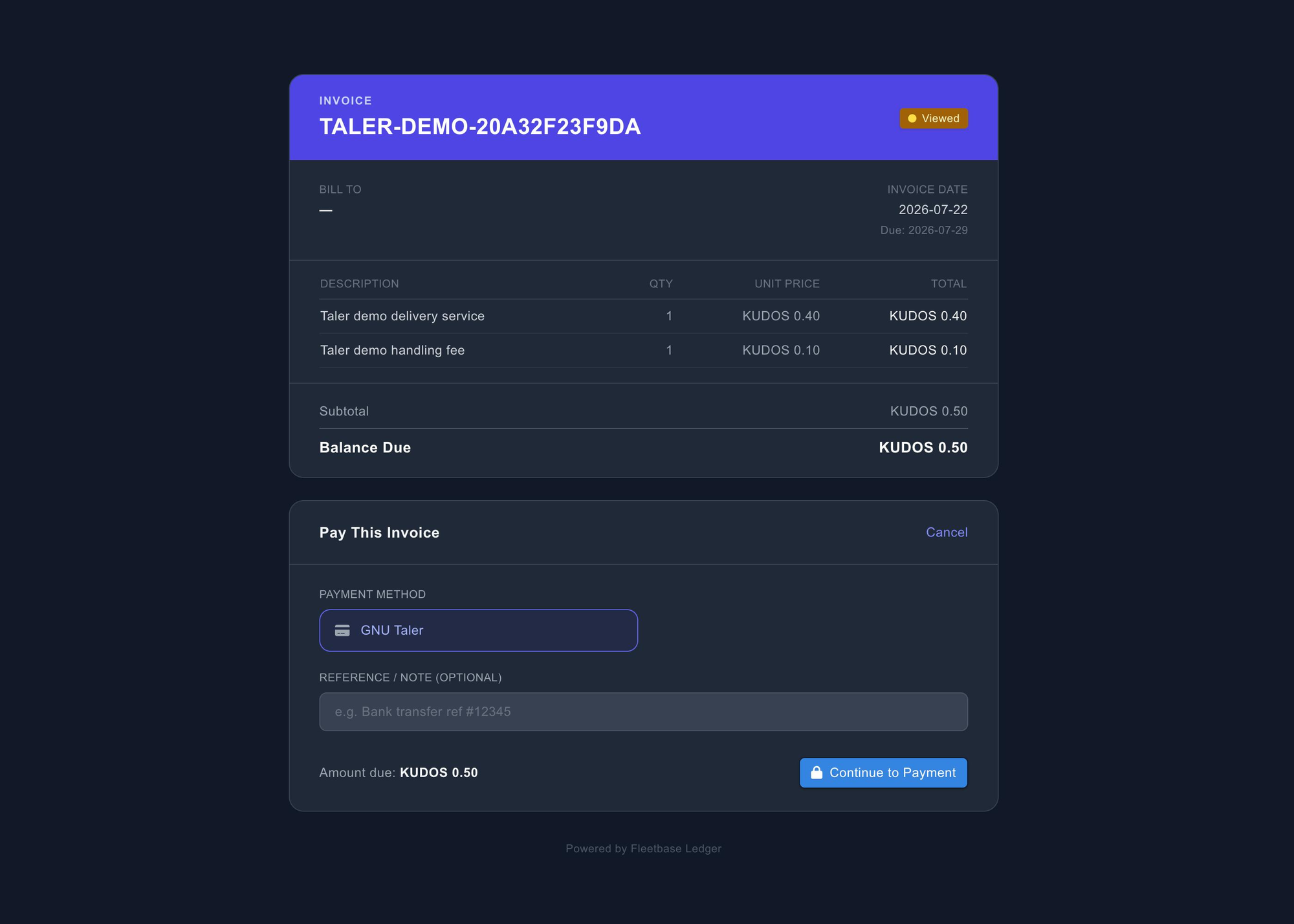
[FIG 2] The public invoice with GNU Taler selected and the amount due.
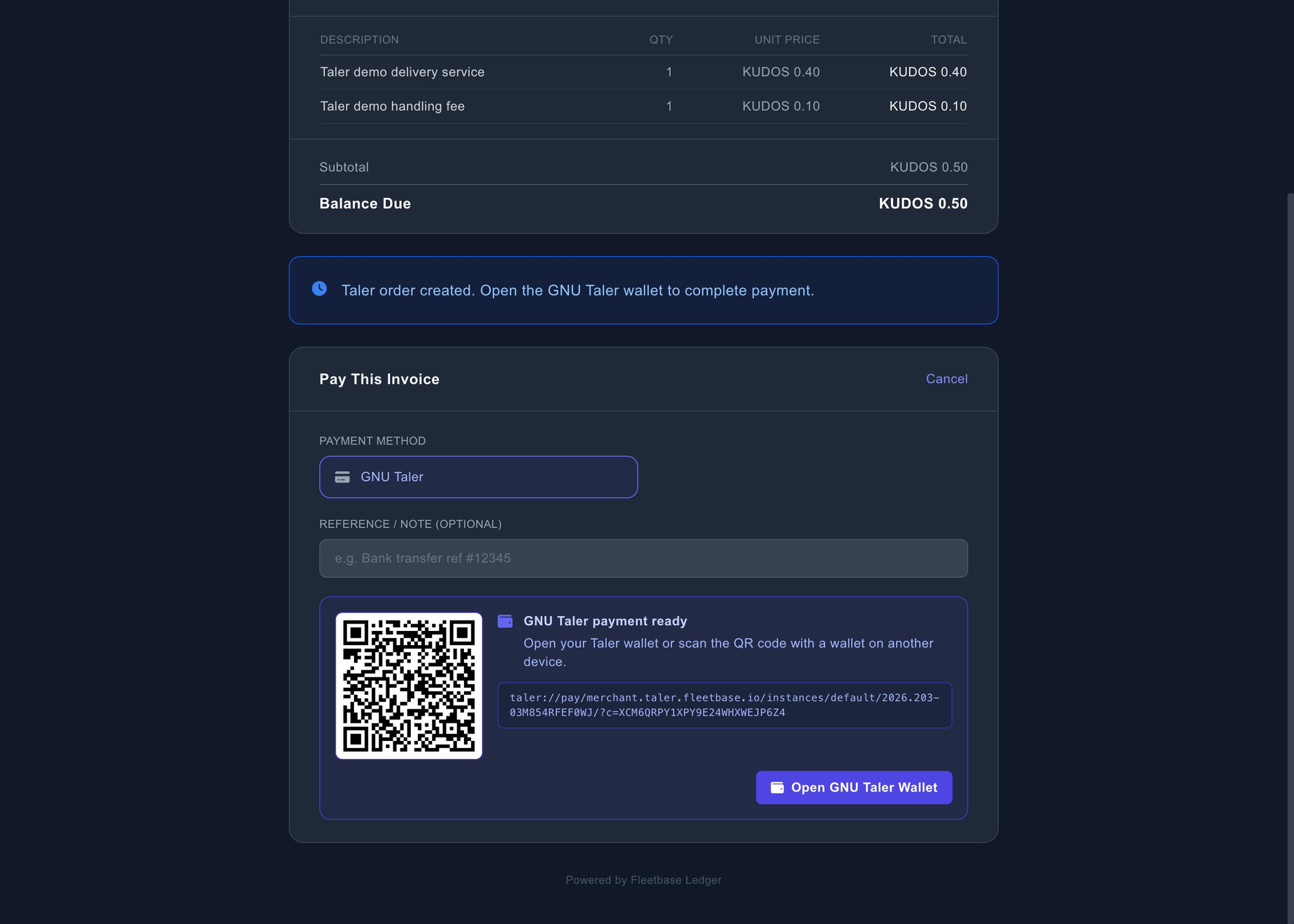
[FIG 3] Taler order created — QR code alongside the live taler://pay URI.
The customer opens it in their wallet and confirms the payment against the merchant.
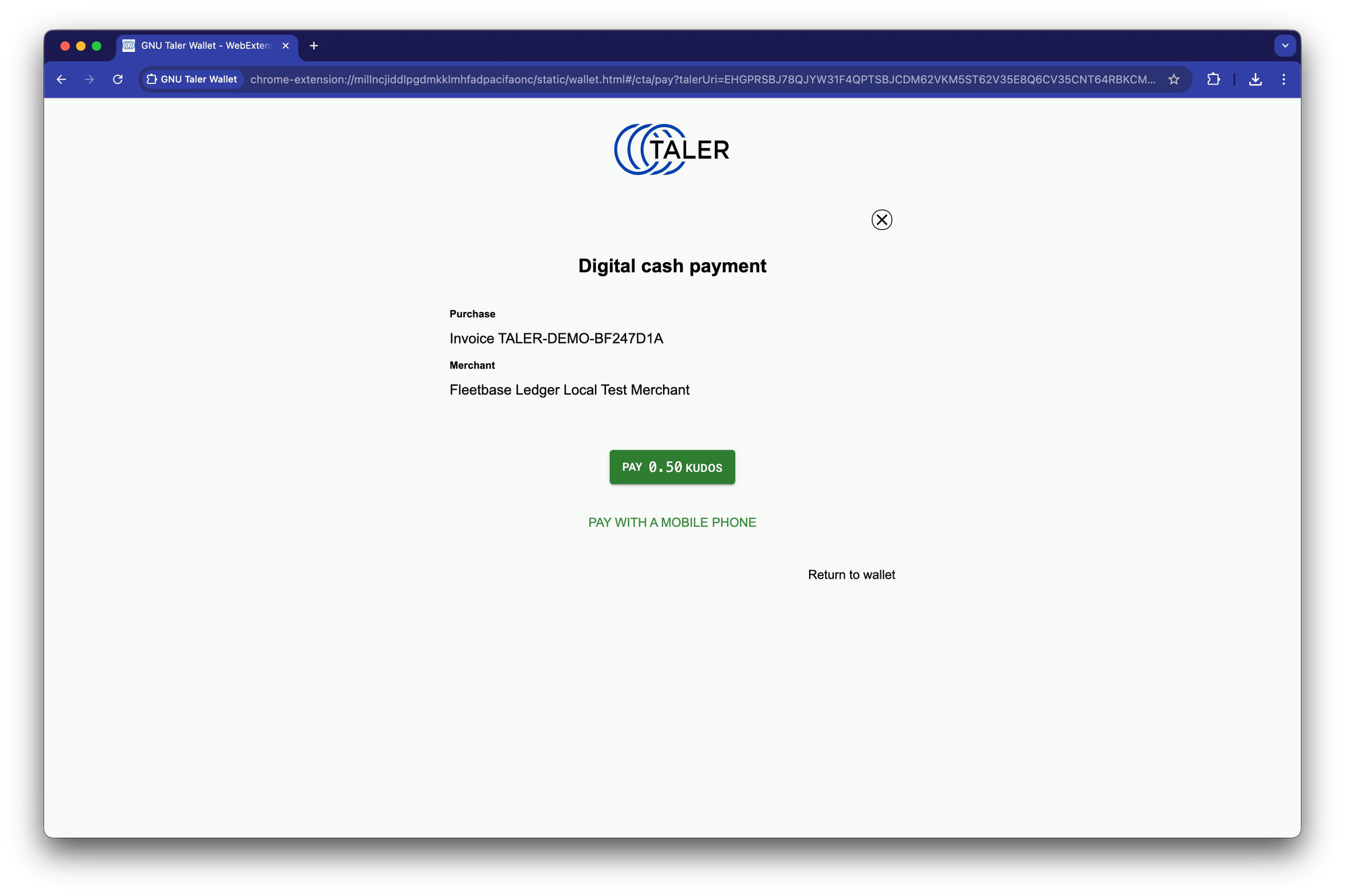
[FIG 4] The GNU Taler wallet "Digital cash payment" screen.
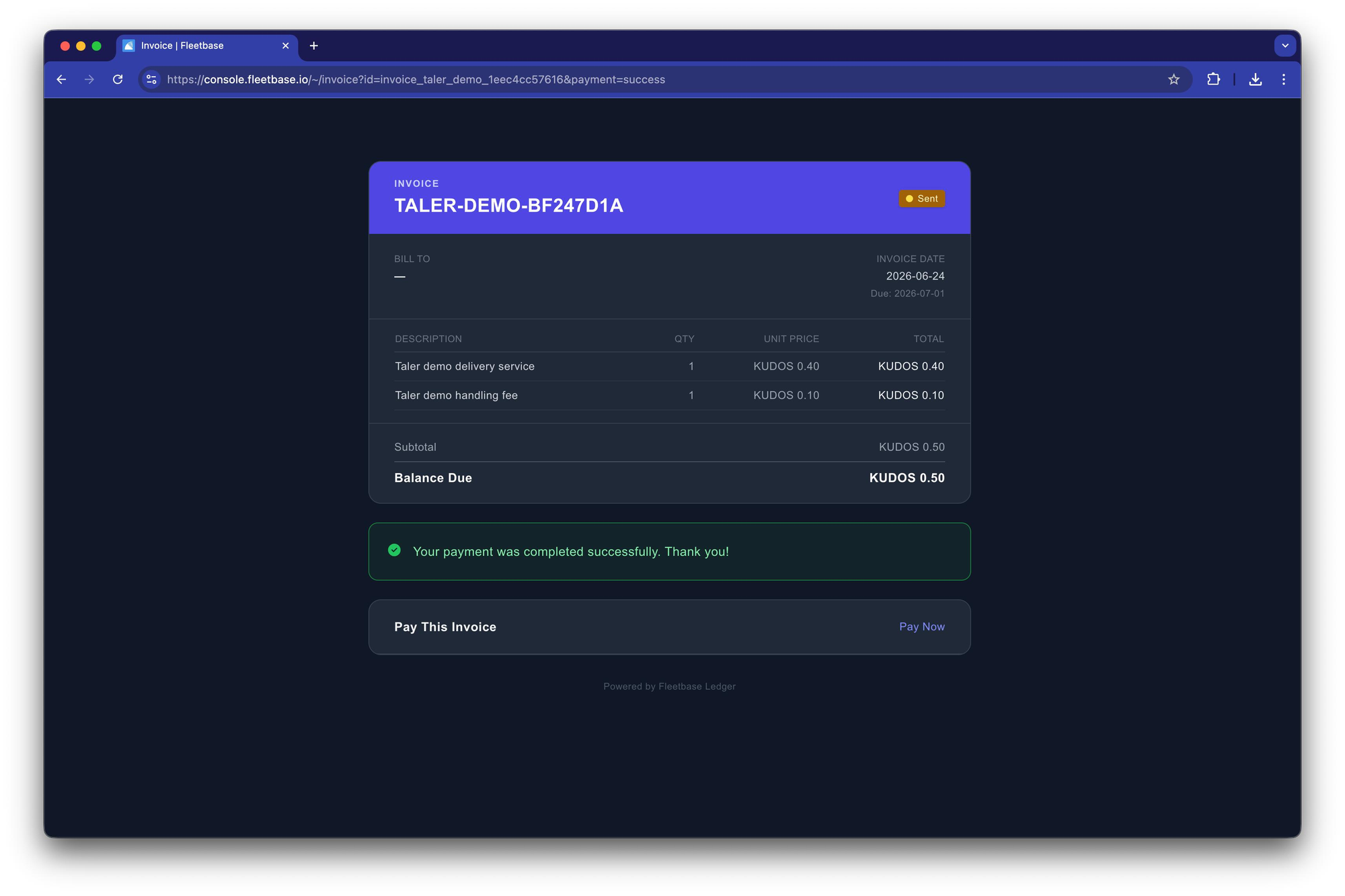
[FIG 5] Back on the public invoice: payment completed successfully.
Critically, the invoice doesn't take the customer's word for it. A settlement verification worker reconciles the asynchronous exchange settlement, and only then does the invoice move to paid — with the journal entry and transaction records created alongside it.
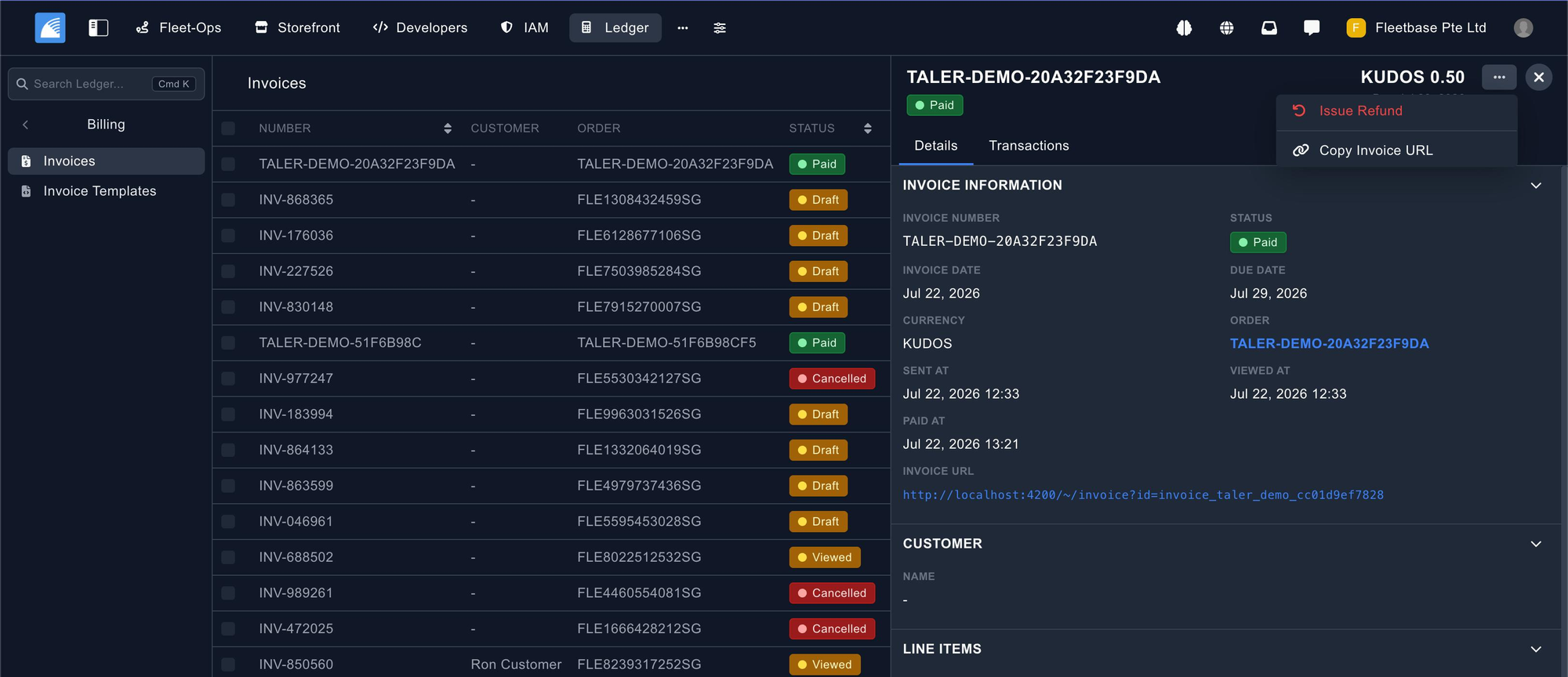
[FIG 6] The invoice in Ledger, marked Paid with the payment timestamp recorded.
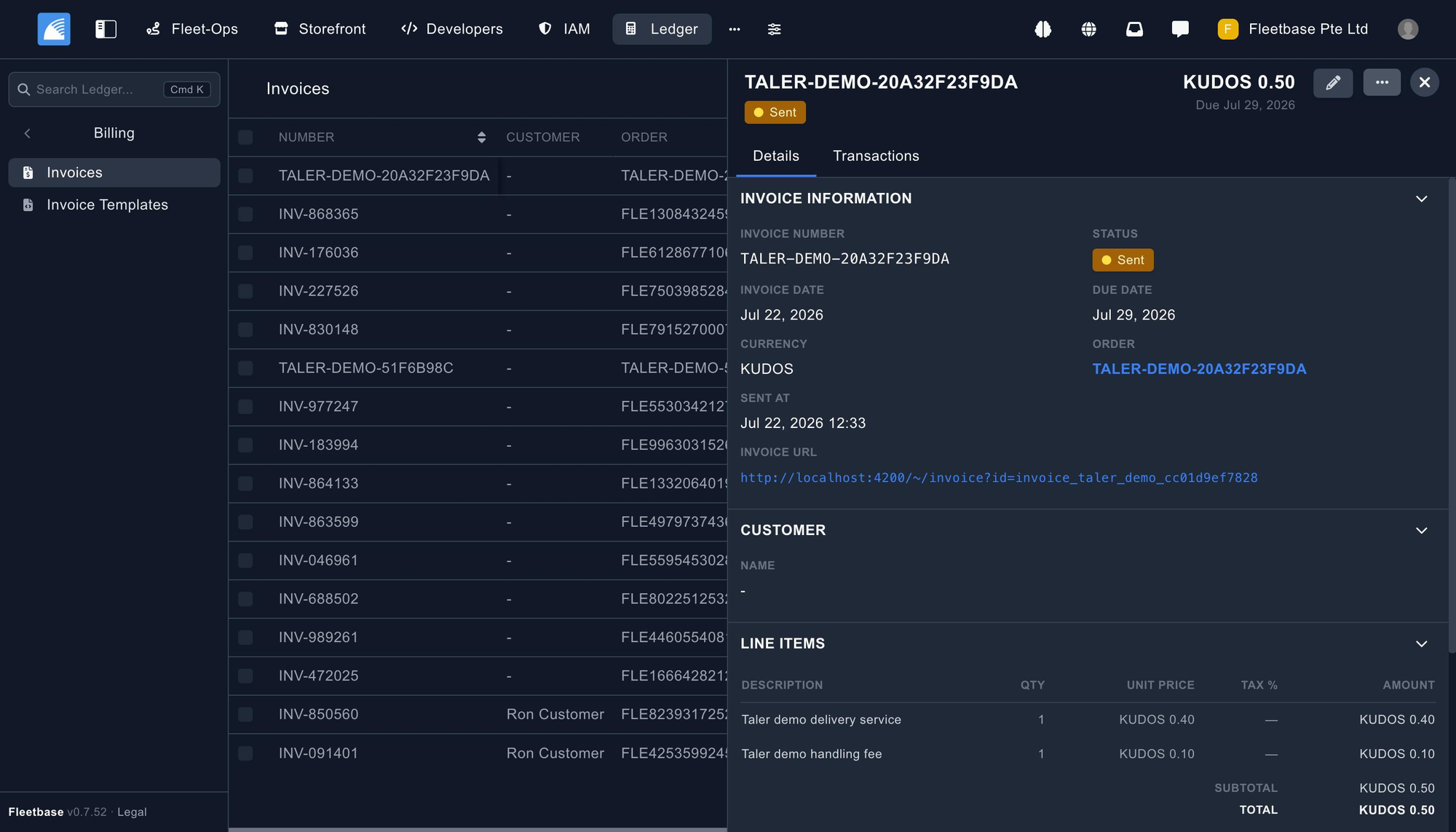
[FIG 7] Taler invoices alongside standard invoices, each with its own lifecycle state.
3. Refunding through the wallet
Refund URI · wallet acceptance · ledger reversal
This is where Taler differs most from a card refund, and it's the part we're happiest with.
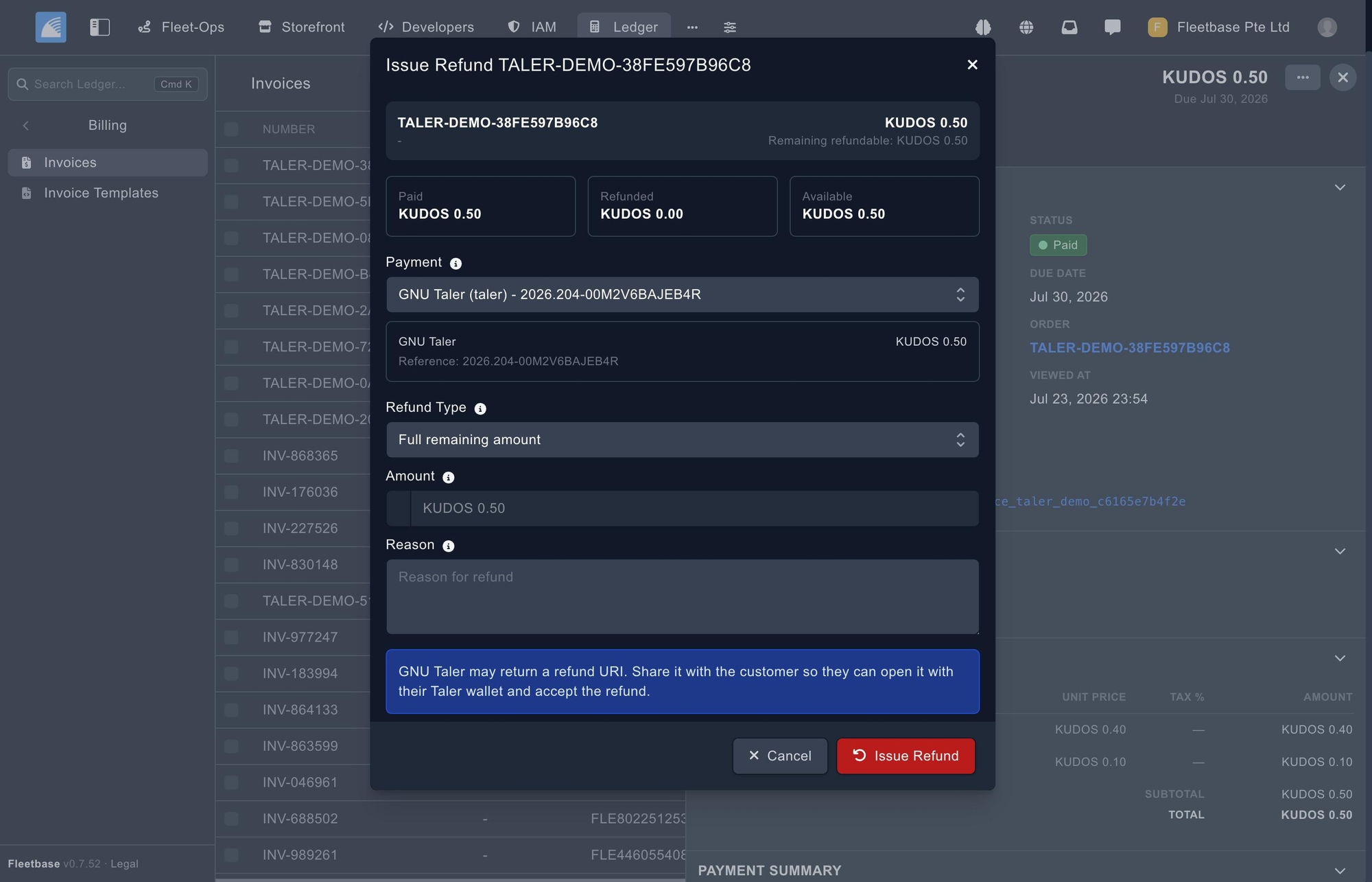
A refund starts from the paid invoice. Ledger shows what's been paid, what's already been refunded, and what remains available — then lets you choose a full or partial refund against the specific Taler payment.
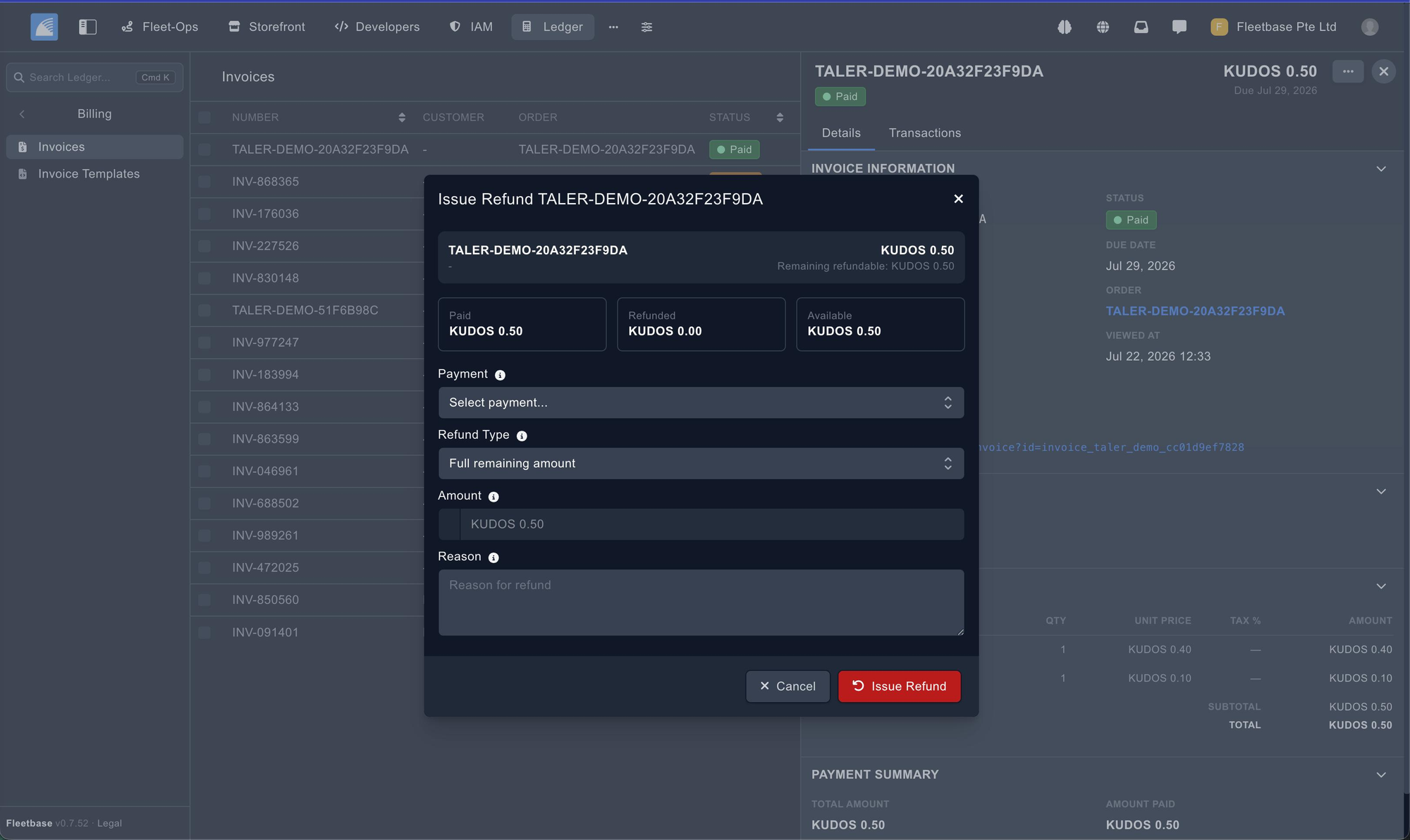
[FIG 8] The refund dialog: paid, refunded and available amounts.
[FIG 9] Issuing a refund against the linked GNU Taler payment.
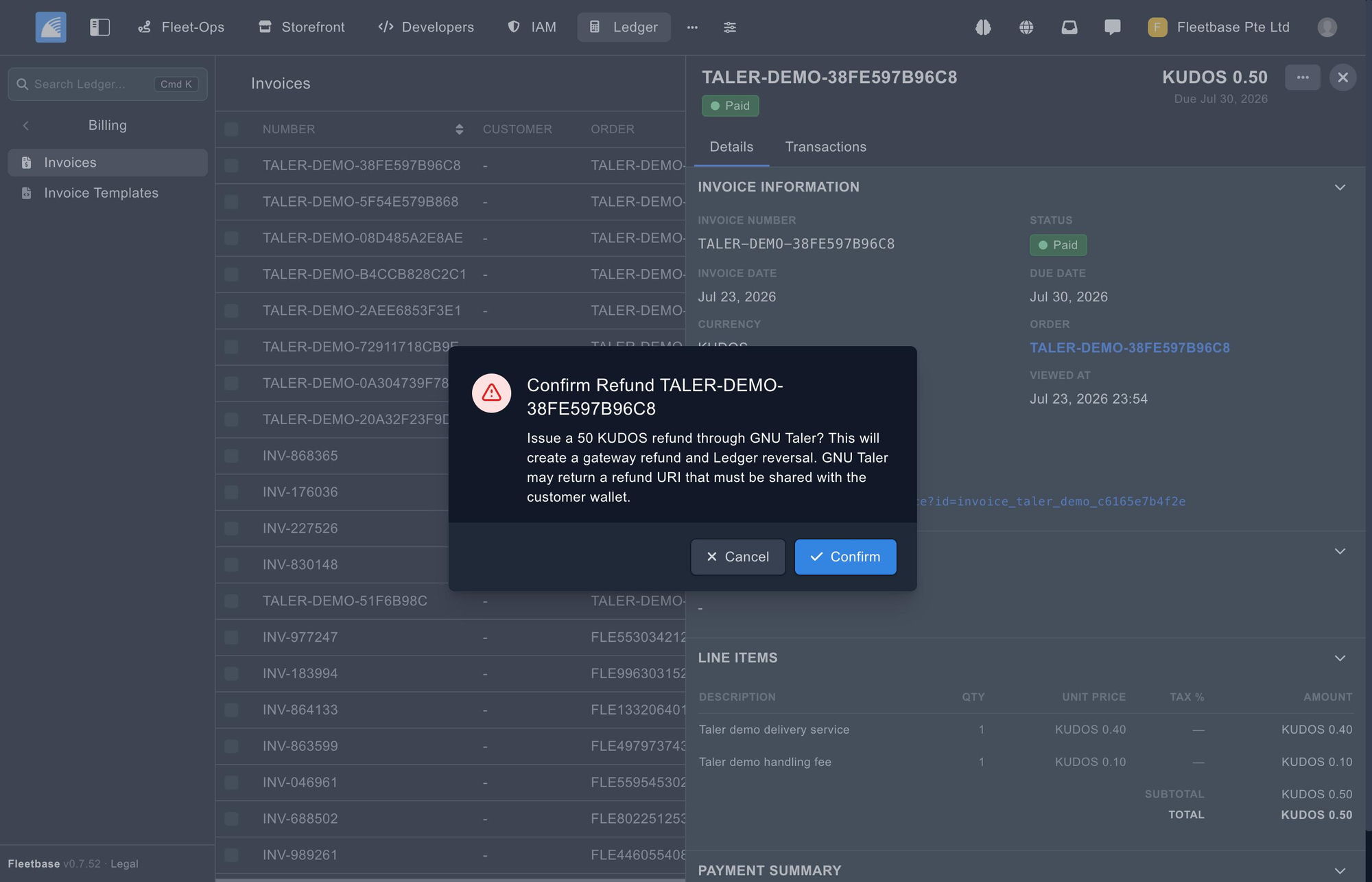
[FIG 10] Confirmation: this creates a gateway refund and a Ledger reversal.
Once issued, Ledger stores and exposes the taler_refund_uri — and tracks both sides of the refund separately. The backend refund status (wallet_uri_returned) tells you the merchant has approved it; the wallet status (pending_wallet_acceptance) tells you the customer hasn't taken it yet. Those are genuinely different facts, and conflating them is how books drift from reality.
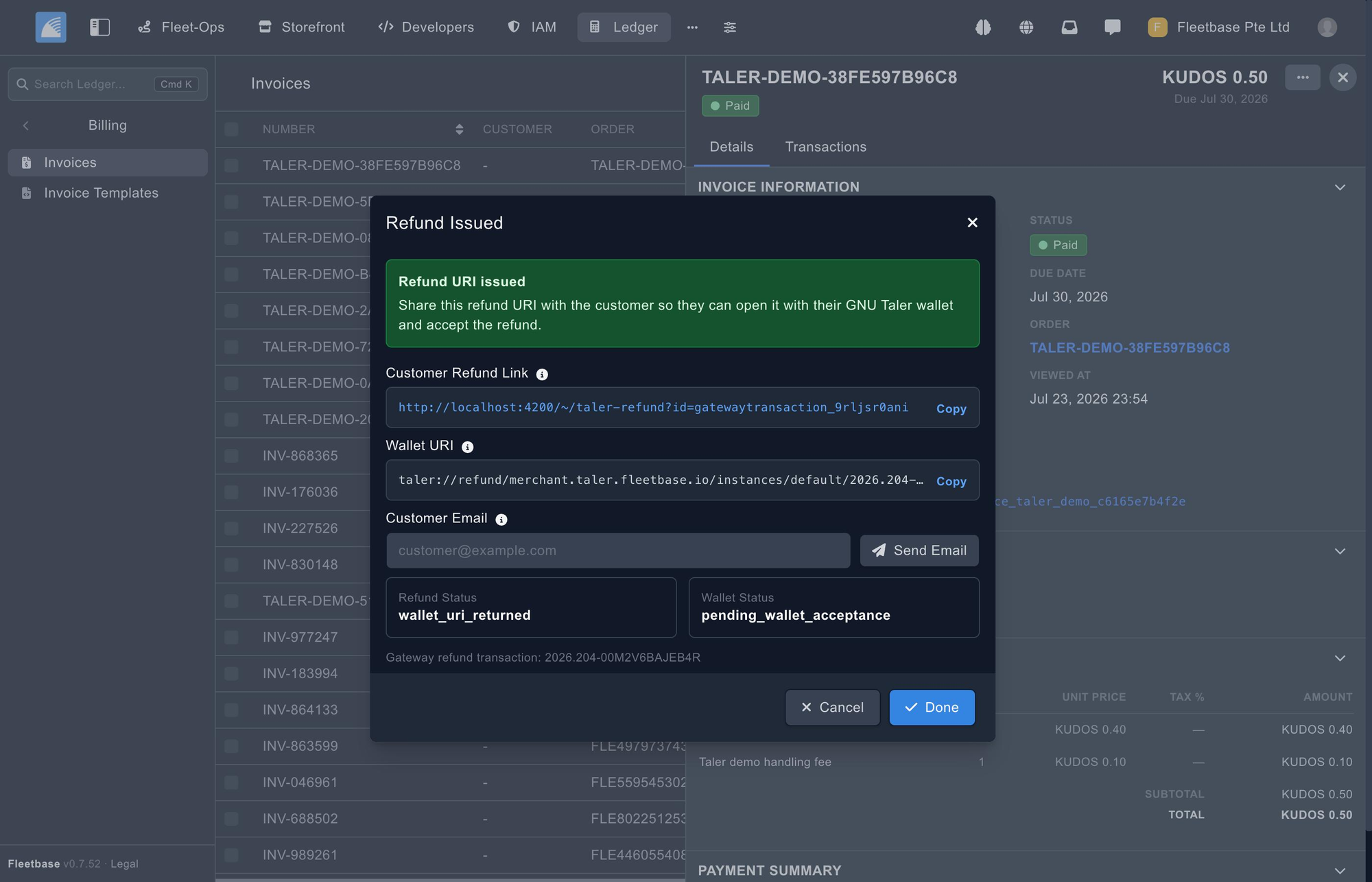
[FIG 11] Refund issued: customer refund link and taler://refund wallet URI, with both statuses tracked separately. 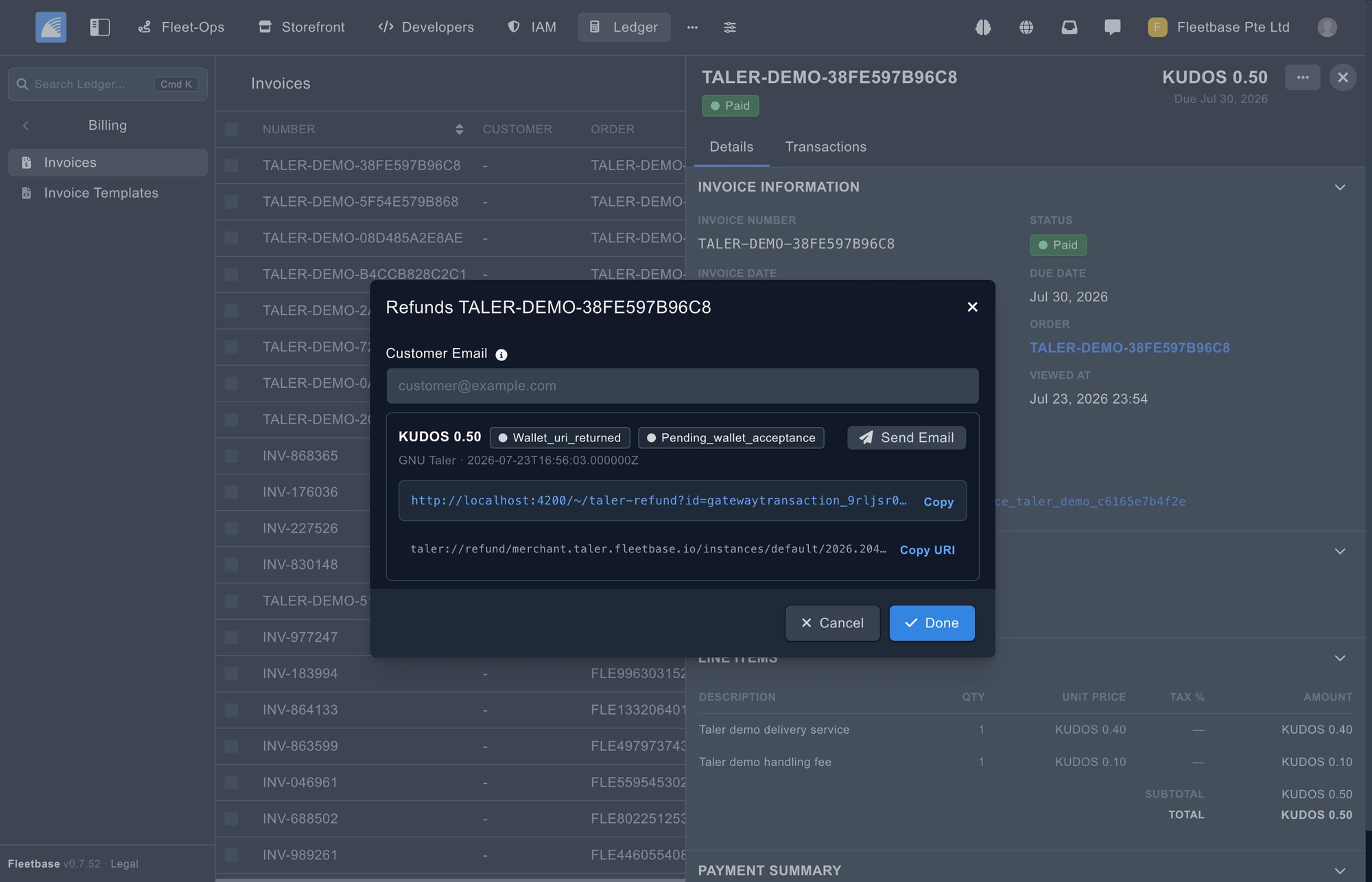
[FIG 12] The refunds panel — amount, status chips, timestamp, and the link ready to send.
The customer gets a page they can open on any device, or scan into a wallet.
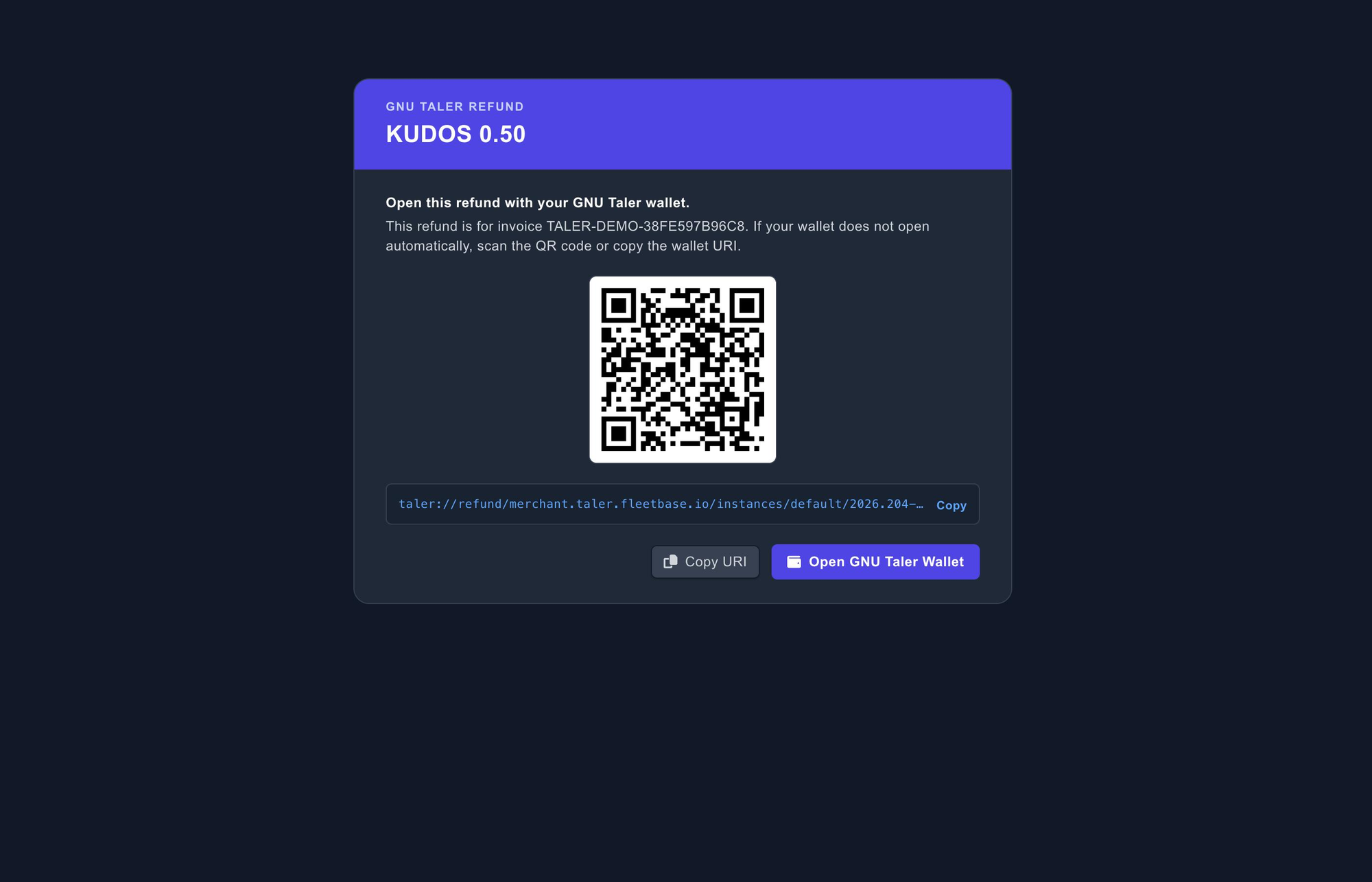
[FIG 13] The public GNU Taler refund page: QR code and taler://refund URI.
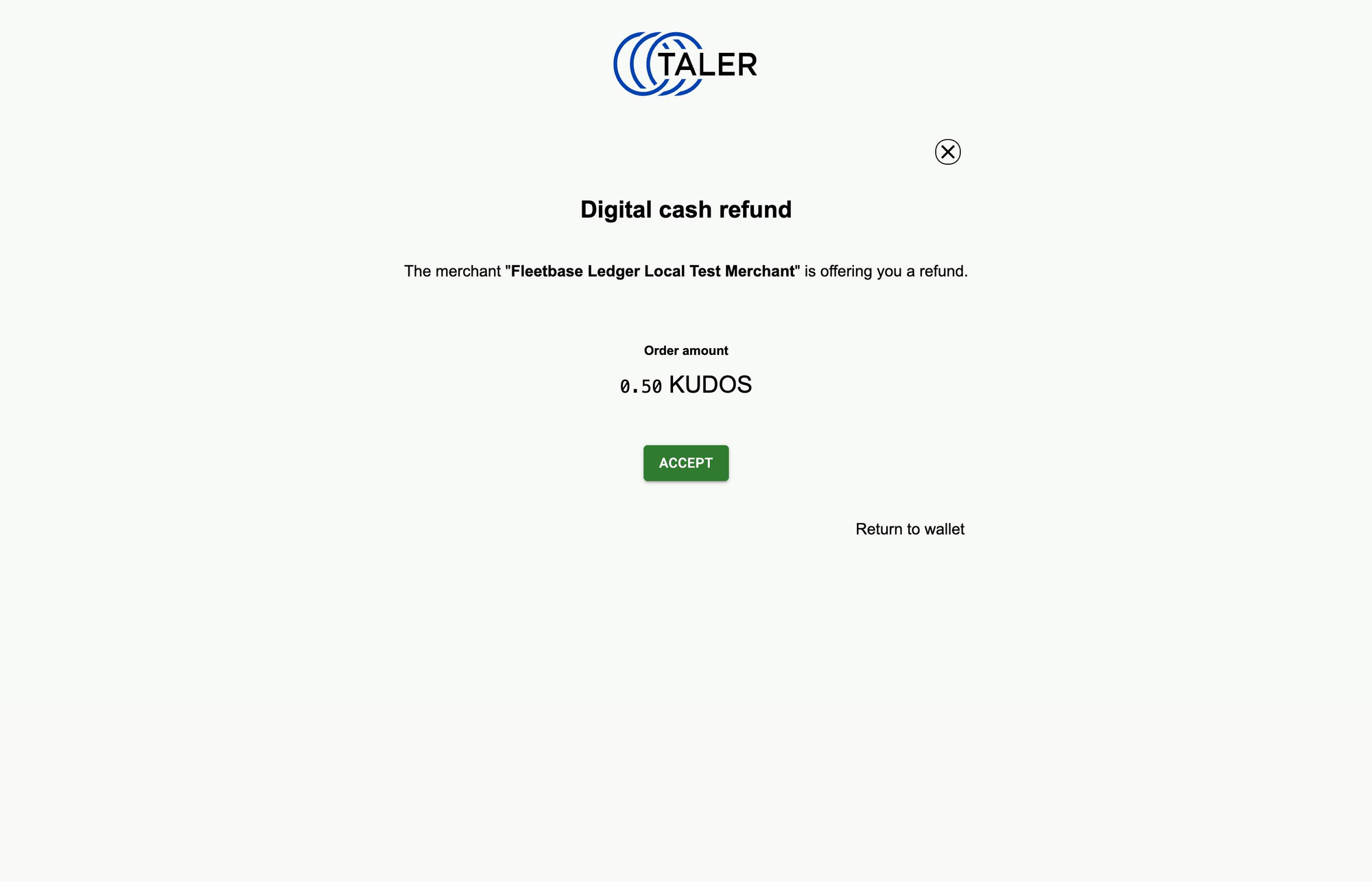
[FIG 14] In the customer's wallet: the merchant is offering a refund, pending acceptance.
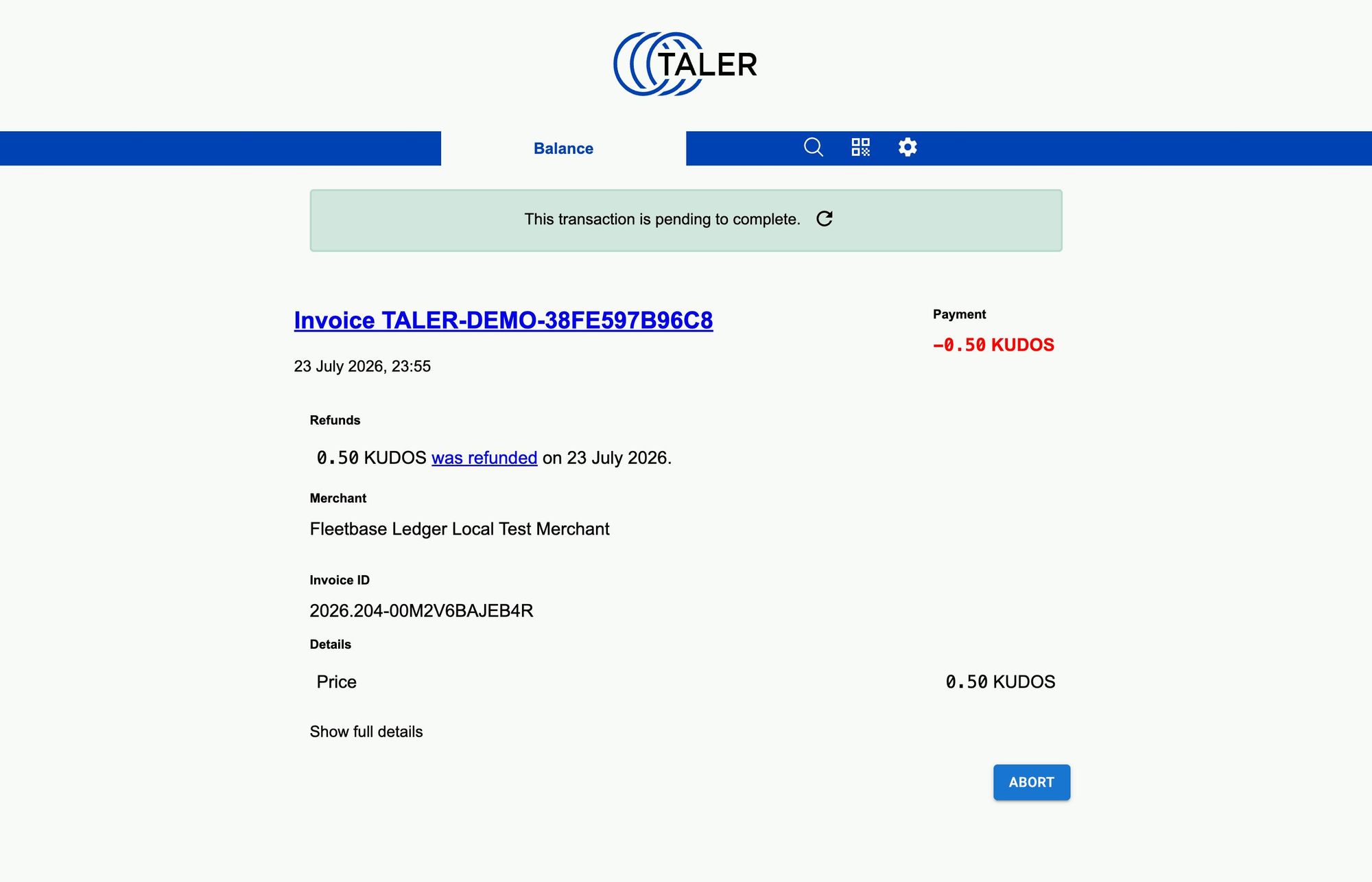
[FIG 15] After accepting — the wallet confirms the amount was refunded.
And the round trip is visible from the customer's side too: the payment out, and the refund back, on the same invoice, against the same exchange.
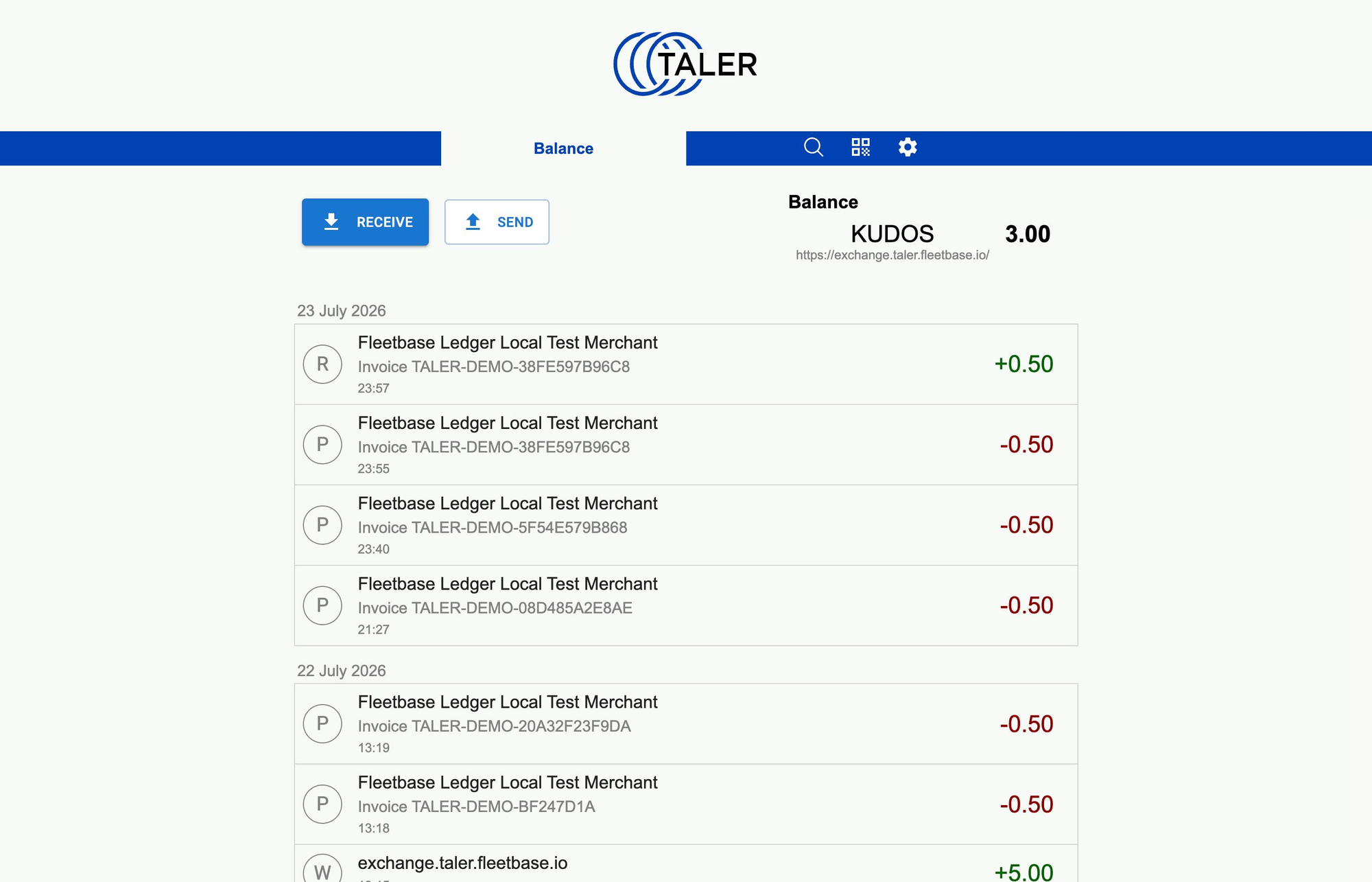
[FIG 16] The customer's wallet history — the refund (+) and the original payment (−) for the same invoice.
Partial refunds hold the invoice in a partial state; cumulative full refunds mark it refunded, with the correct ledger reversal. Failed and expired refunds are handled too, each state reflected in matching invoice, transaction, journal and gateway-transaction records.
4. Reconciliation and currencies
Wire transfers · value/fraction amounts
A settlement verification command queries Taler order status for recorded payments and stores the wired state, deposit total, best-available wire-transfer fields, and a normalized reconciliation status against the gateway transaction — giving Ledger auditable reconciliation evidence from the merchant backend, not just an assumption that money arrived.
Amounts use Taler's value/fraction model rather than a fixed two-decimal assumption, so currencies beyond EUR and USD work correctly. The demo stack runs on KUDOS, the Taler demo currency; production instances use whatever their exchange accepts.
Try it yourself
Install Fleetbase 0.7.52, configure a Taler gateway pointing at your merchant backend, generate an invoice, and pay it from a Taler wallet funded via the test bank. The invoice holds at pending through the claim-and-pay flow and flips to paid on confirmed settlement. Then issue a refund and watch it flow back through the wallet with the matching ledger reversal.
Full setup, token scopes, webhook provisioning, supported currencies, the test wallet flow and production runbooks are in the GNU Taler gateway guide.
Upgrading
bash
# Pull latest version
git pull origin main --no-rebase
# Update docker
docker compose pull
docker compose down && docker compose up -d
# Run deploy script
docker compose exec application bash -c "./deploy.sh"
As always, if you run into anything, join us on GitHub Discussions or drop by #fleetbase on Discord.
Built by the Fleetbase team · Funded through the NGI TALER fund (NLnet). Fleetbase is open source under AGPL-3.0.


